{{item.name}}
Price: {{currency}}{{item.price| numberThousandsCommas | numberDecimalPoint}}
Qty: {{item.amount}}


Projectors

Monitors
Lighting
Interactive Displays & Signage
Remote Work & Learning
Shop
With the end of 2021 marking 20 years since Xbox debuted as a force in the gaming scene, the team at Microsoft has been putting together a lot of activities, events, and programs to celebrate the occasion. One of the nicer ones has been the addition of over 70 titles to the backward compatibility list for Xbox consoles. That means a whole bunch of games from the original Xbox (2001-2005) and Xbox 360 (2005-2013) era are now playable on Xbox One, and more importantly Xbox Series consoles. Of course, backward compatibility was a huge deal for Xbox fans between 2015 and 2019, when hundreds of games were made compatible on Xbox One, but then Microsoft stopped adding titles to the list. So having the program come back for one last time was great.
Yes, this is apparently the last time Microsoft’s Xbox team will add backward compatible games. While that’s sad, many of the newly-added classic games offer several enhancements that make backward compatible gaming on Xbox Series consoles quite appealing. The three main performance-related enhancements include higher resolutions whenever possible, Auto HDR, and FPS Boost. And they make a difference!
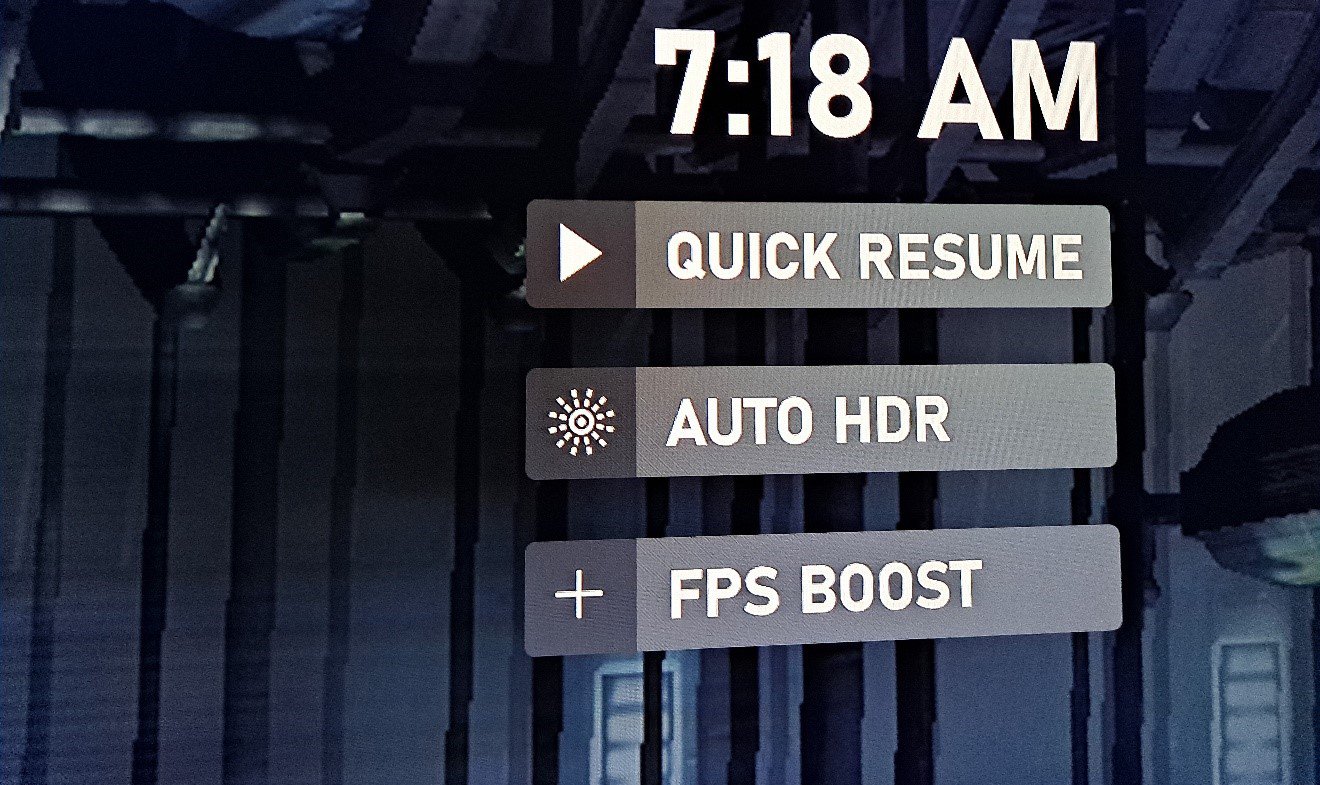
On Xbox Series X/S consoles, select games that don’t support HDR natively have had HDR emulation added to them by the Xbox technical team. Because HDR is a big deal in the current generation, this is important, and more noticeably, it works. Auto HDR makes older games like EA’s Dead Space 2, one of our favorites, look a lot better than it did back in 2011. HDR wasn’t a thing then, but it is now. And in our opinion Auto HDR looks almost as good as native HDR. The technology sounds like it’s quite similar to BenQ’s own HDRi, which also uses smart algorithms to enhance brightness, color, and contrast without detracting from detail quality or adding latency.
Auto HDR isn’t automatically available for every non-HDR game on Xbox, but a large portion of original Xbox, Xbox 360, and Xbox One games have had it added to them by the Xbox engineering team.
As the name clearly states, this enhancement increases a legacy game’s framerate. So, games that on Xbox 360 ran at the then very common 30fps, like our example Dead Space 2, now run in 60fps. This is a huge difference and completely changes the feel of a game. It also shows that Microsoft are putting an effort into making use of more powerful hardware. A game that in 2011 was demanding for the Xbox 360 is barely light exercise for an Xbox Series X/S console, so might as well put the extra power to good use.
We’ve played many games with FPS Boost and it works great every time, without causing any screen tearing or stutter. Theoretically, FPS Boost can take a game from 30fps to 120fps but that’s rare, for the most part 60 frames per second is the goal.
FPS Boost is important because current gaming monitors and gaming projectors definitely favor higher refresh rates, and running older games in 30Hz/30fps seems like a waste when modern hardware can so easily run them much faster than before.
Not as big of a deal because all Xbox consoles since 2016 have been doing a good job of upscaling games that have a lower native resolution, but this time it’s a bit better. Back again to our example of Dead Space 2. The game ran at 720p on Xbox 360 when it released, but on Series X it runs in 2160p or 4K. The result is of course visuals that look more crisp and detailed, but also slightly blown up because the game wasn’t designed to run in 4K. We still think it looks good!
These three enhancements don’t come as a package and are entirely up to the backward compatibility technical team at Microsoft. A game could have none, one of them, two, or all three, in any combination.
If applicable, once you install a game with these features, they activate by default. So when you install Dead Space 2, it’ll turn on Auto HDR and FPS Boost. The resolution increase isn’t a toggle-able feature, it’s built into games and users have no control over it.
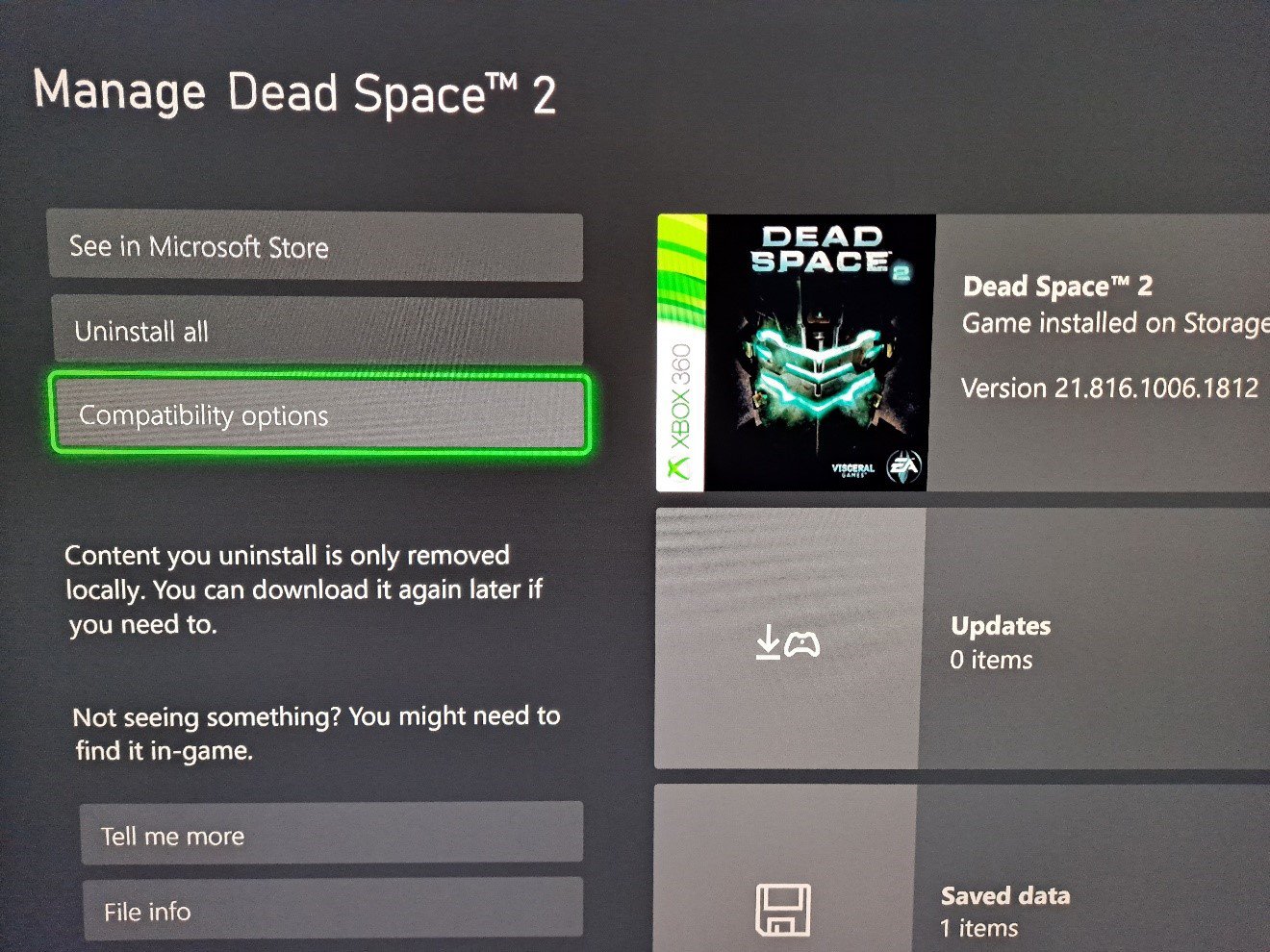
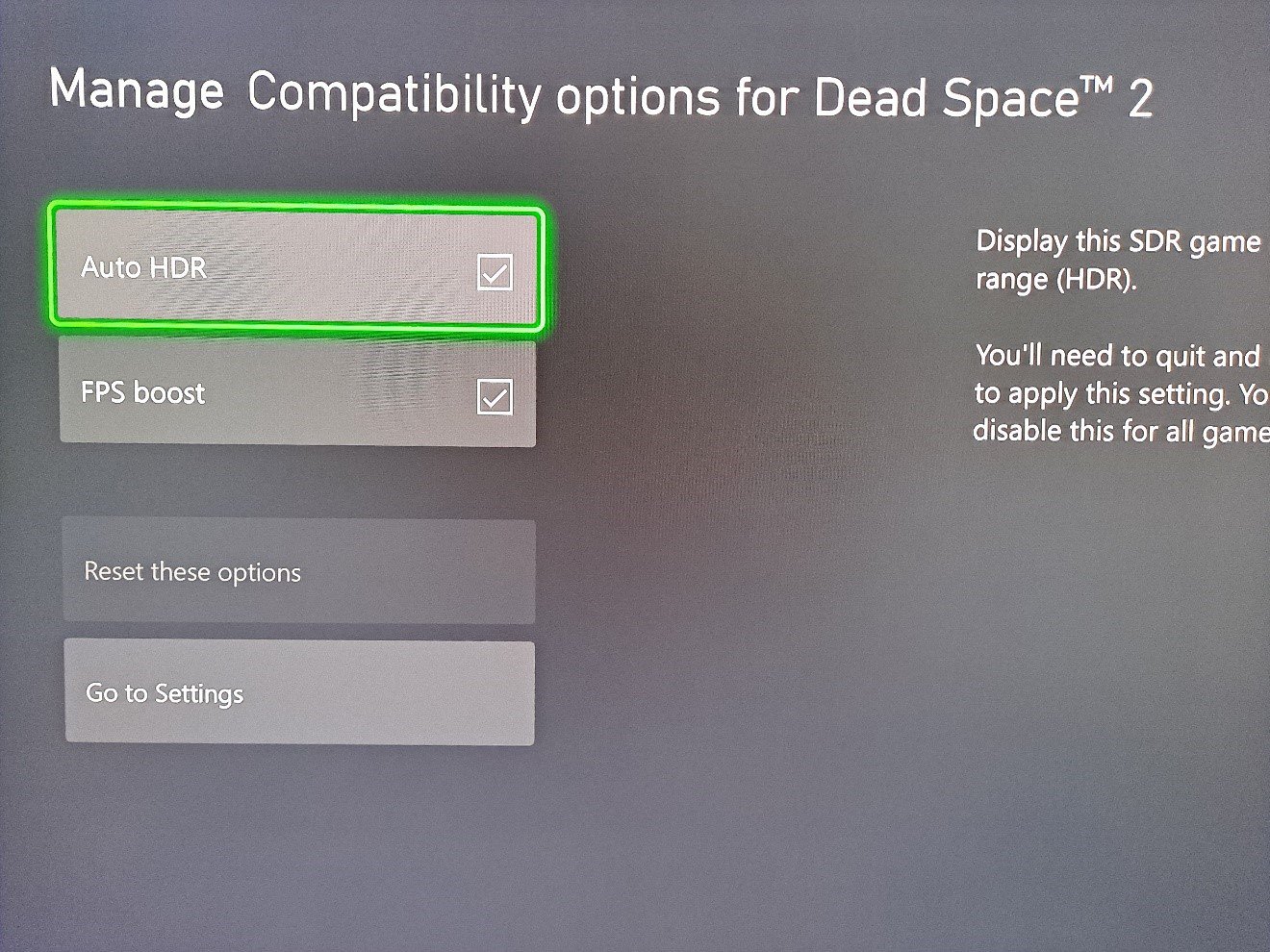
To make sure a game has Auto HDR and FPS Boost turned on, you need to go into individual game management, as this isn’t part of the console settings app. Once in game management, click on compatibility options.
You’ll then see the options for FPS Boost and Auto HDR, where you can turn them on and off if you don’t like the HDR effect or think the increased frame rate isn’t comfortable for your gaming needs. Again, if a game is compatible, FPS Boost and Auto HDR will be turned on by default.
Do you think these features make a difference? Give us your opinion on social media! And what about backward compatibility? Are you disappointed it’s the end of the road (presumably) for the program at Xbox?
Recommended Products
{{item.productWordingTag}}
{{currency}}{{item.finalPrice| numberThousandsCommas | numberDecimalPoint}} Save {{currency}}{{item.saveAmount | numberThousandsCommas | numberDecimalPoint}} Save {{item.savePercent | numberThousandsCommas | numberDecimalPoint}}%
new device price{{currency}}{{item.regularPrice| numberThousandsCommas | numberDecimalPoint}}