{{item.name}}
Price: {{currency}}{{item.price| numberThousandsCommas | numberDecimalPoint}}
Qty: {{item.amount}}


Projectors

Monitors
Lighting
Interactive Displays & Signage
Remote Work & Learning
Shop
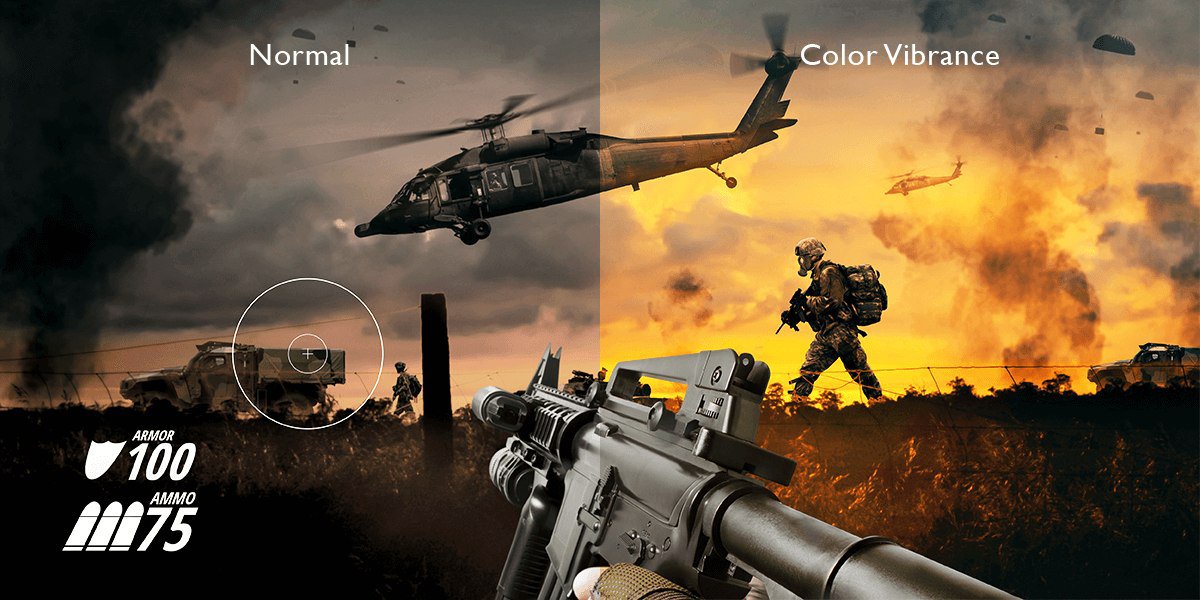
While having color presets to choose from has advantages, personalization settings certainly come in handy. Technology continues to improve and we each have our preferences, so the ability to tailor monitors to our particular needs adds many benefits. With the BenQ Color Vibrance feature gamers go beyond rigid definitions with an impressive 20 color temperature gradations.
That flexibility breathes new life into color not just for the sake of appearance. For sure with greater control over color you enjoy different game titles in more vivid fashion, but beyond artistic merit, Color Vibrance proves helpful to gamers who want to be aware of every pixel and never miss a detail. Of course, greater visual acuity and awareness translate into a competitive edge in multiplayer titles and esports events.
Color Vibrance boosts gaming by way of augmented customization on BenQ gaming monitors we aim to provide you with more control.
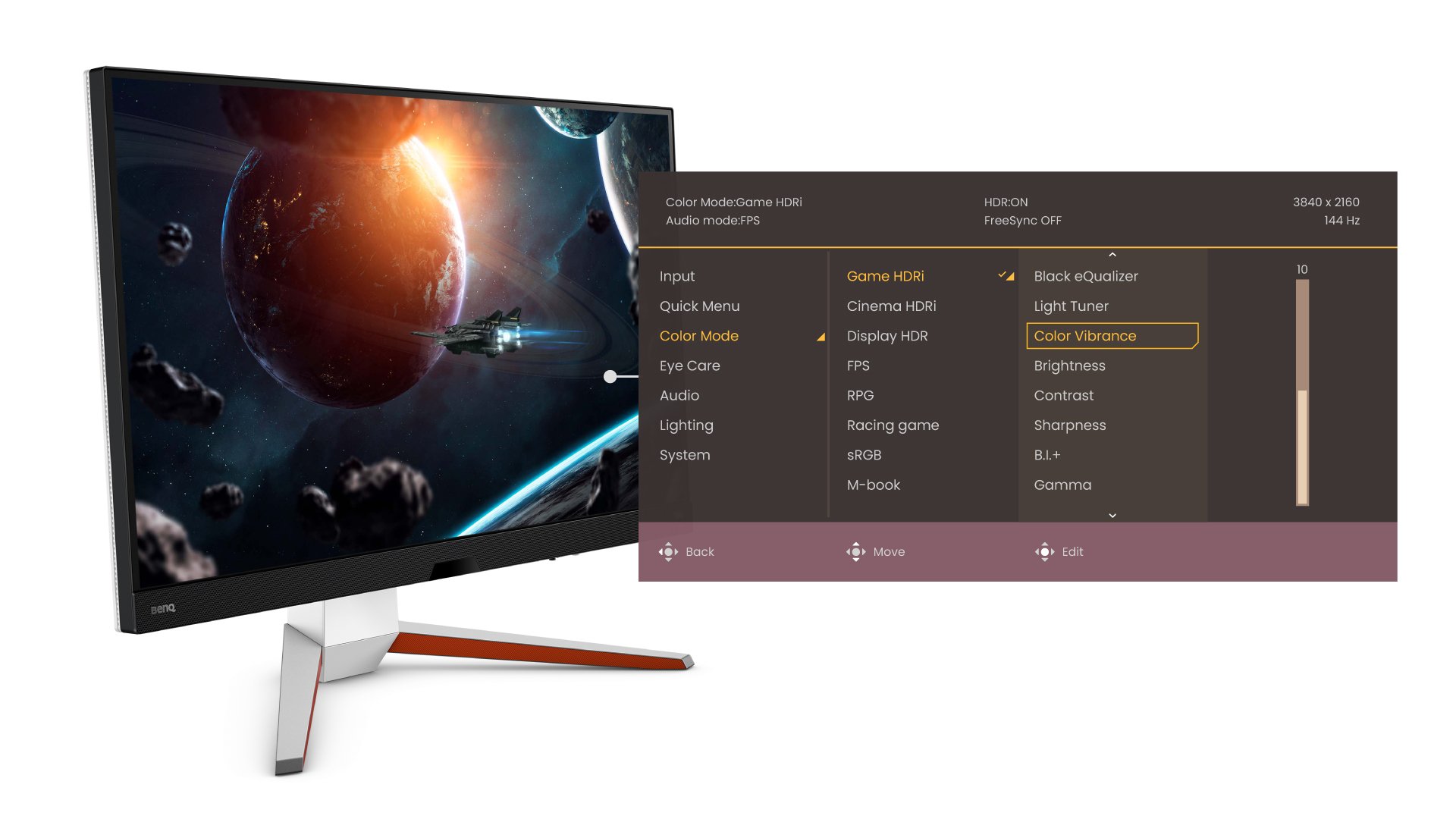
Color Vibrance employs the processing capabilities of BenQ gaming monitors to create 20 color intensity levels. Easily accessible from the on screen display. You can quickly adjust settings whenever you want based on each game.
Since the art assets and overall game engines of various titles differ greatly, a limited range of color tone presets can’t possibly do them all justice. With Color Vibrance the need to settle diminishes greatly as you have much more flexibility.
BenQ gaming monitors feature high end chipsets with the processing power to handle intricate color and tone shifts with precision. Dialing through the settings doesn’t come across as after a fashion, as you can clearly see the results on your display. For gaming enthusiasts that want to remain aware of every fine detail and maintain screen alertness, Color Vibrance proves a valuable ally.
Importantly, we designed Color Vibrance to work with equal efficacy on PC and consoles. You get its full benefit on every panel bit depth and color gamut.
Based on user feedback, our team released an updated version of HDRi in late 2022. The new build improves color tone mapping and detail retention in every frame, but more importantly, adds a 20-level color intensity selector we call Color Vibrance. Each level uses algorithms that balance color, brightness, and contrast to make sure you get maximum detail in bright and dark areas of the screen in every game. So, whether you choose intensity level 2 or 20, new HDRi adjusts image parameters to make sure detail and accuracy are optimized for your preferred intensity level. This gives you a lot more choice when trying out different color saturation and intensity settings.
New HDRi with Color Vibrance ships with new MOBIUZ monitors by default but can be downloaded as a firmware update for select models, even if manufactured and purchased a while back. The process is quite simple.
OSD options for BenQ MOBIUZ Color Vibrance are clear and intuitive.
Color Vibrance works to enhance game visuals for various types of gameplay, from hobbyist to dedicated enthusiast, top-end PC to PS5, Xbox Series, and even Switch. Many gamers have come to rely on BenQ gaming monitors with Color Vibrance to stay ahead of competitors in online multiplayer thanks to the superior levels of detail and awareness it provides. Whether you want to relish every texture and polygon in true color or are more focused on ensuring you never miss out on visual detail in the heat of a competitive session, Color Vibrance helps deliver a considerably more personalized gaming experience.
Recommended Products
{{item.productWordingTag}}
{{currency}}{{item.finalPrice| numberThousandsCommas | numberDecimalPoint}} Save {{currency}}{{item.saveAmount | numberThousandsCommas | numberDecimalPoint}} Save {{item.savePercent | numberThousandsCommas | numberDecimalPoint}}%
new device price{{currency}}{{item.regularPrice| numberThousandsCommas | numberDecimalPoint}}