{{item.name}}
Price: {{currency}}{{item.price| numberThousandsCommas | numberDecimalPoint}}
Qty: {{item.amount}}


Projectors

Monitors
Lighting
Interactive Displays & Signage
Remote Work & Learning
Shop
Any true gamer will tell you that creating a truly immersive gaming experience involves taking advantage of the next level visuals and audio that your gaming console can deliver. For users of BenQ gaming projectors, the visual side of the equation is already covered; but what about the audio side? With an array of options available on the market which you can choose from to complete your gaming setup, from soundbars to traditional speakers to AV receivers (AVR), figuring out how to connect each type of sound system to your projector and gaming console, whether it’s a Sony PS5/PS4, Nintendo Switch, or Xbox Series, will be a key part to your decision-making process.
To help make the available options clear and concise, this article will detail how to connect the main components in various audio setups so that you can further enhance the sound from your gaming console. The scenarios described below include:
NOTE: The level of support for the connections described below may vary depending on the model used. Before making the connections please check the product specifications for your particular model and ensure that the features mentioned below are present and/or supported.
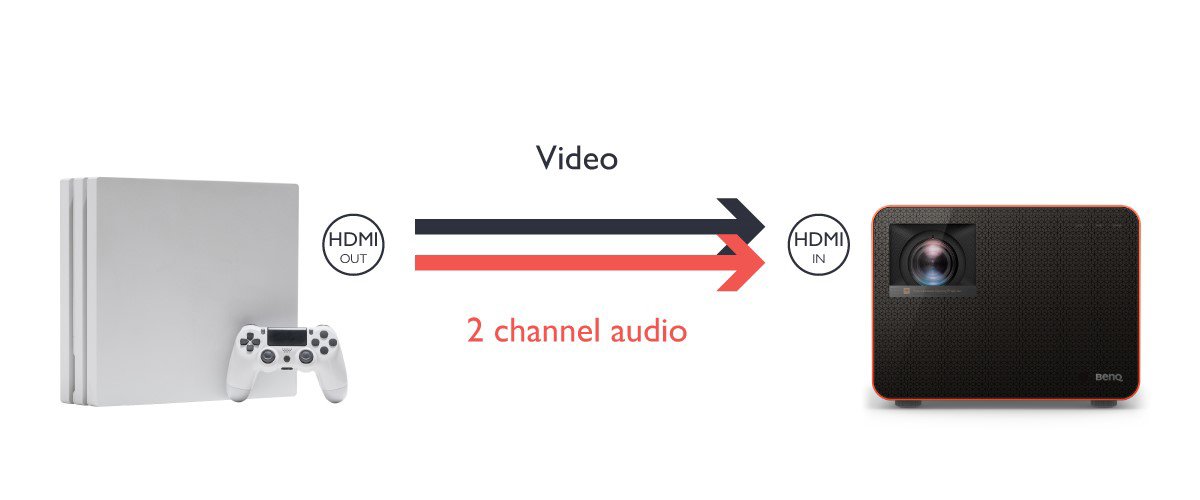
If you don’t have any external speakers to connect, you can simply connect the HDMI output port of your gaming console to the projector’s HDMI input port and use its internal speakers to broadcast the game’s audio.
In such a scenario only 2-channel audio will be supported.
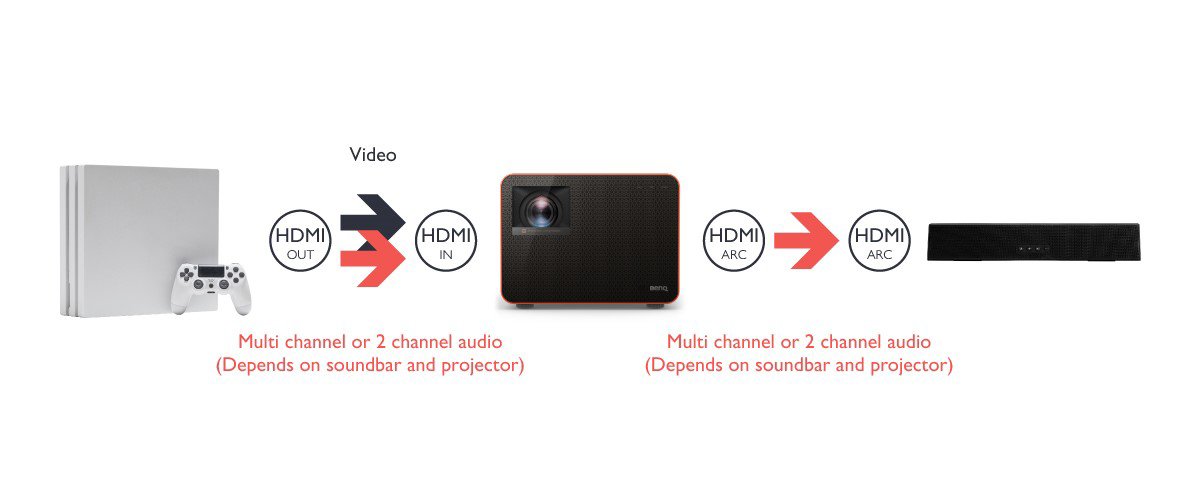
To connect a gaming console to a soundbar that supports HDMI ARC, connect the HDMI output port on the console to the HDMI input port on the projector to broadcast the video, and then connect the HDMI ARC output port on the projector to the HDMI ARC port on the soundbar.
The level of support for multi-channel audio will depend on both the specifications of both the projector and soundbar.
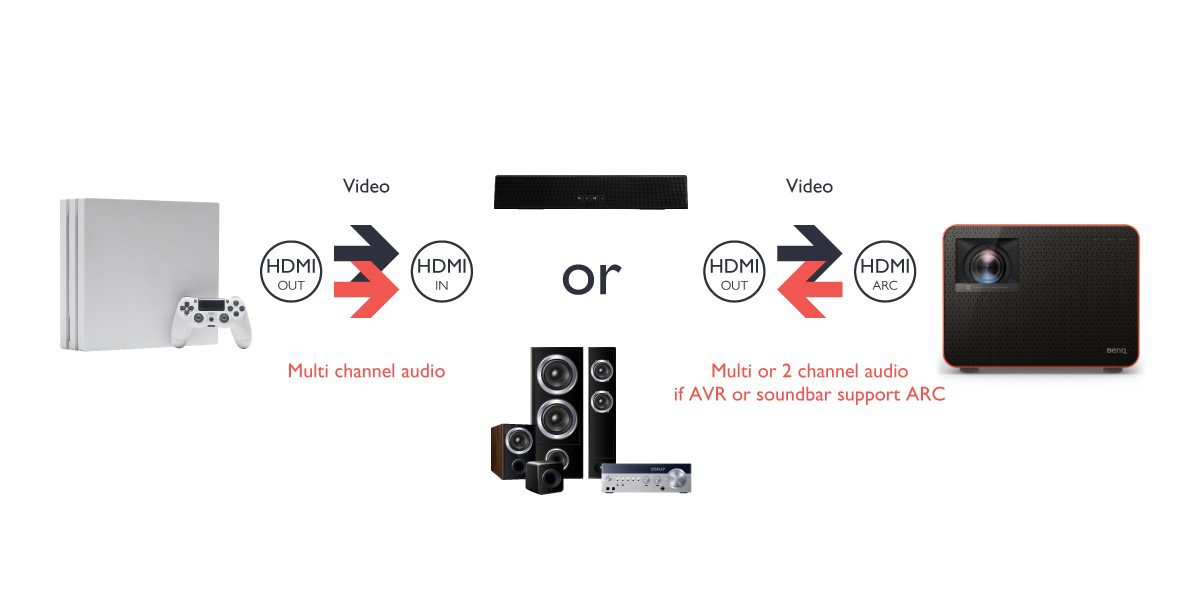
If you have a soundbar or AVR setup that features both HDMI input and output ports, connect the HDMI output port on the gaming console to the HDMI input port on the soundbar/AVR, and then connect the HDMI output port on the soundbar/AVR to the HDMI ARC port on the projector.
The level of support for multi-channel audio in this scenario will depend on if the soundbar/AVR supports ARC.
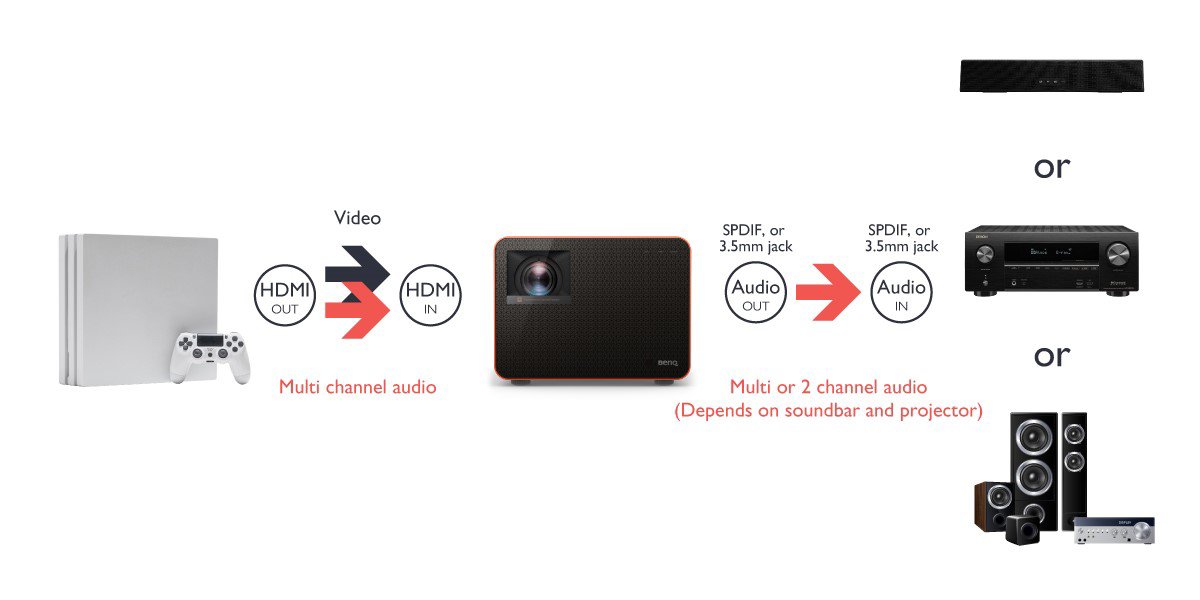
If your soundbar, AVR setup, or speakers do not feature HDMI ports, connect the HDMI output port on the gaming console to the HDMI input port on the projector, and then connect the audio output (either SPDIF or 3.5mm jack) to the corresponding input jack on the soundbar/AVR/speakers.
The level of support for multi-channel audio in this scenario will depend on the specifications of the soundbar/AVR/speakers and the projector.
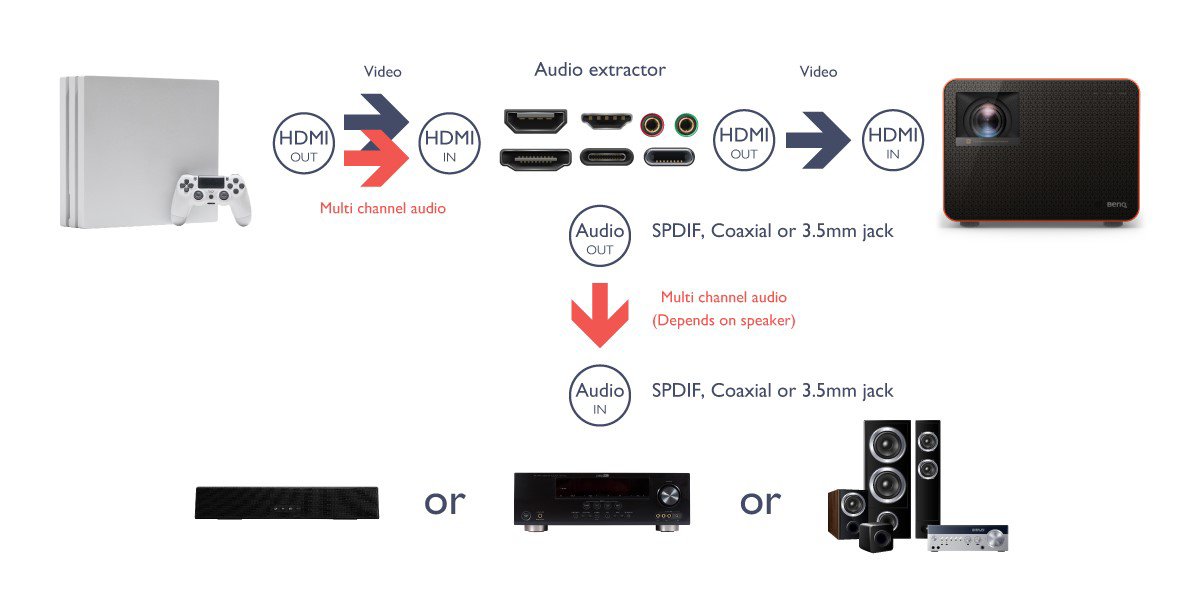
If your soundbar, AVR setup, or speakers do not feature HDMI ports and your projector does not feature any audio out options, you will need to utilize an additional audio extractor. With such an accessory you would connect the HDMI output port on the gaming console to the HDMI input port on the audio extractor, then connect the HDMI output port on the extractor to the HDMI input port on the projector while connecting the respective audio output jack on the extractor (e.g. SPDIF, 3.5mm, or Coaxial) to the corresponding audio input jack on the soundbar/AVR/speakers.
In this scenario the level of support for multi-channel audio will depend on the soundbar/AVR/speakers.
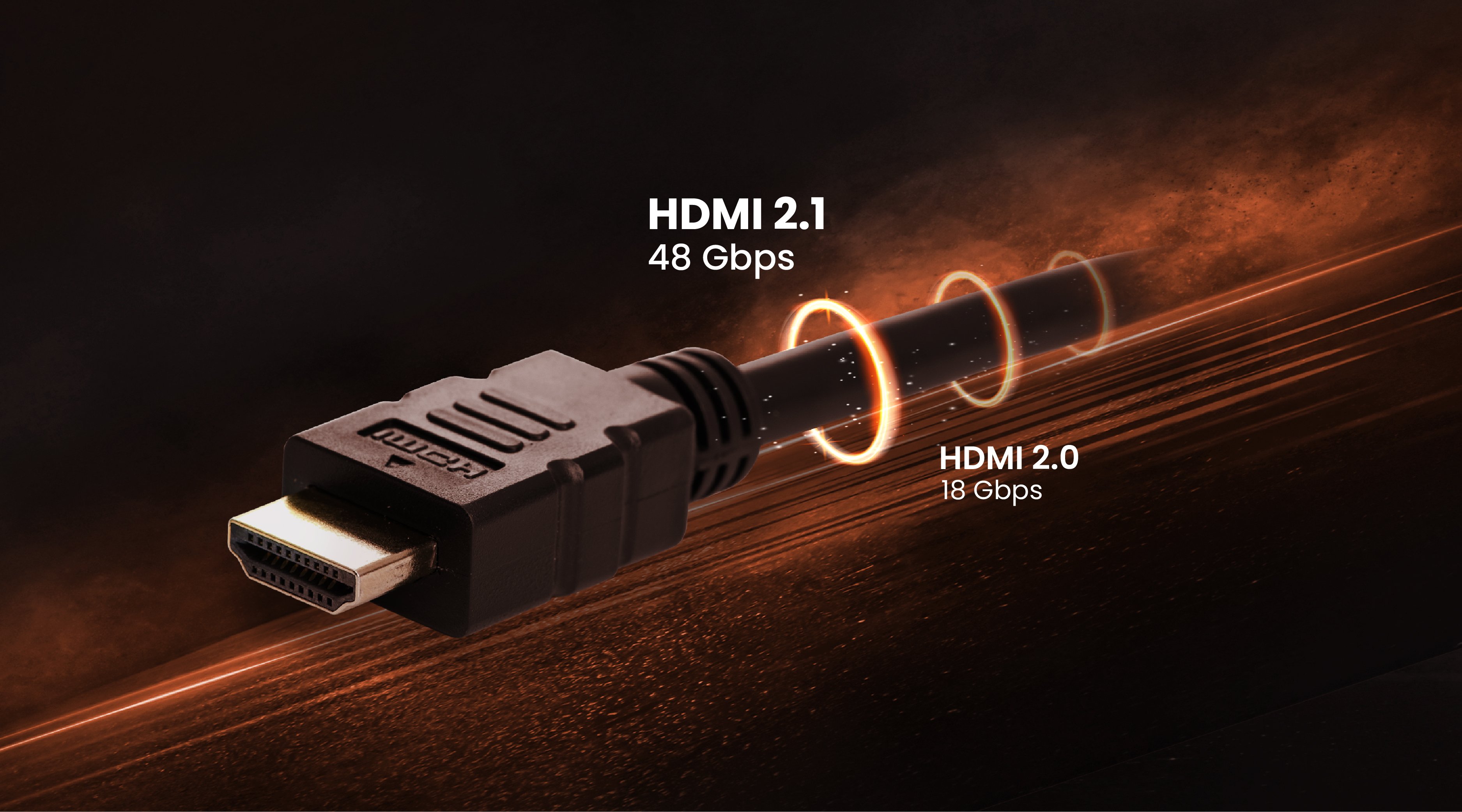
As can be seen above, there are many avenues for top-notch audio which your next-gen gaming console allows for, and with BenQ projectors, there is a diversity of connectivity options to complement this, including multiple ports that bring you more versatility with your gaming setup. With the most up-to-date versions of HDMI to connect to your console and the availability of HDMI ARC for your soundbar, the choices are there for you.
HDMI Version
HDMI 1.4
HDMI 2.0
HDMI 2.0b
HDMI 2.1
Optimal Gaming Resolution
1080p*
4K
4K
8K
Transmission Bandwidth
10.2Gbps
18Gbps
18Gbps
48Gbps
Audiovisual Enhancement
Audio Return Channel (ARC) added that eliminated the need for a separate audio cable
Allowed the transmission of up to 32 audio channels
Added support for HDR
Dynamic HDR and Enhanced Audio Return Channel (eARC)
* HDCP 2.2 not supported
Note: eARC supports the latest high-bitrate audio formats such as DTS-HD Master Audio™, DTS:X®, Dolby® TrueHD, Dolby Atmos®. Please check that your speaker, receiver, soundbar, disc or other essentials are all supportive as well.
Furthermore, once you have figured out the best way to optimize the audio, BenQ projector TK700STi not only specially-designed its HDMI 2.0 port to support eARC, but its gaming projectors also give you specially-tuned gaming modes to ensure that the visuals are on par with the enhanced audio. Thereby, completing your gaming experience once and for all.
Recommended Products
{{item.productWordingTag}}
{{currency}}{{item.finalPrice| numberThousandsCommas | numberDecimalPoint}} Save {{currency}}{{item.saveAmount | numberThousandsCommas | numberDecimalPoint}} Save {{item.savePercent | numberThousandsCommas | numberDecimalPoint}}%
new device price{{currency}}{{item.regularPrice| numberThousandsCommas | numberDecimalPoint}}