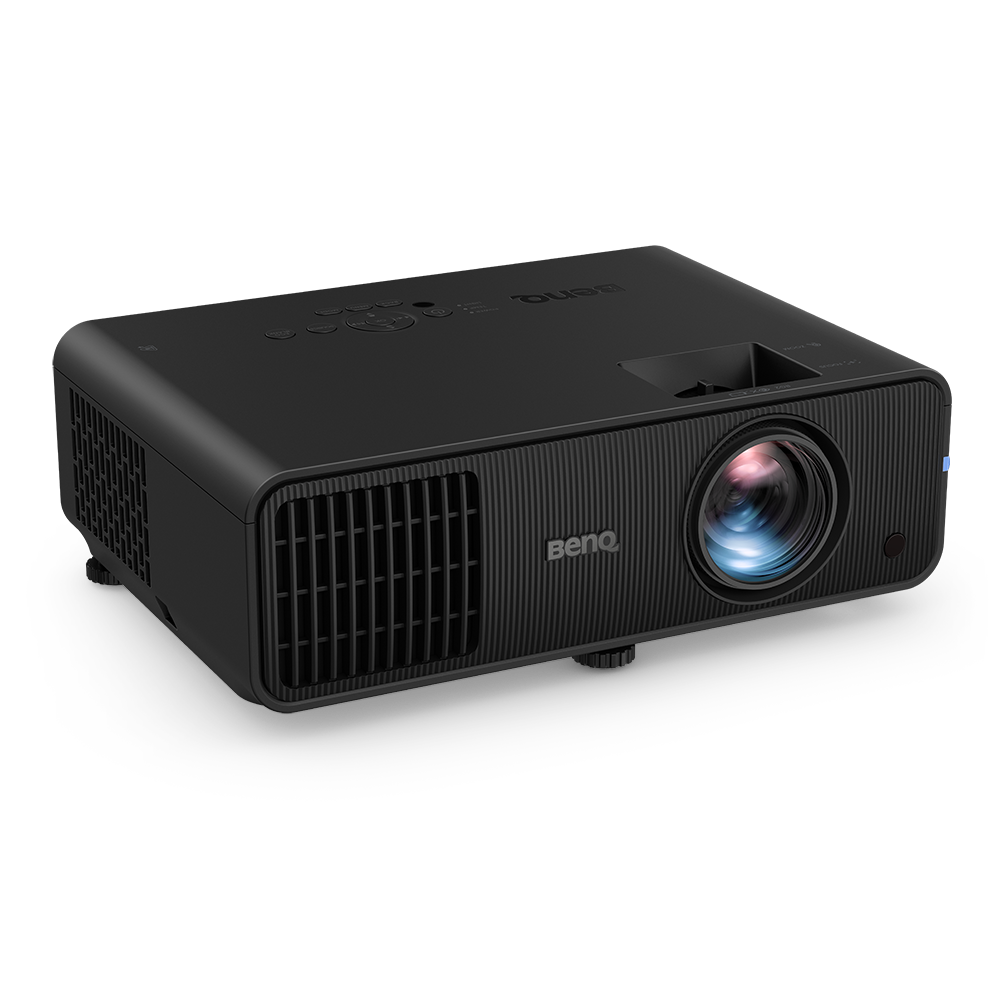
BenQ Ace Series Golf Simulator Projectors
Bring the Golf Course Home



Wrong throw ratio = poor image size & quality
No installation flexibility = drill 10 holes and still not have a full screen
Inaccurate colours = no realism, no immersion
Since 2021, BenQ has been building projectors that are purpose-built for golf simulators. BenQ has made the right projectors to go in the right place, with features tailored to golf simulation like 1:1 aspect ratios and accurate, vibrant colours. Let us help you bring the course home.
Elite Golf Simulator
Premium DIY Home Golf
DIY Home Golf
Limited Space Home Golf
Entry-Level Home Golf
Choose from three lens options to suit your screen size and throw distance (TR 0.5, TR 0.7-0.9 or TR 1.0-1.6) and produce an image of up to 300” even in tighter spaces.
Learn more about BR9708
The all-new RGBRGB colour wheel delivers rich and vivid visuals for a lifelike, immersive indoor golfing experience. Meanwhile the advanced scaler chip enhances depth, making subtle terrain details like slopes or textures easy to read.
Why the BR9708 is the Perfect Choice for Immersive Scenes
True 4K DLP projects all 8.3 million pixels for sharp visuals with no colour fringing, while the sealed Dust-Guard™ engine ensures consistent quality and long-term reliability with minimal maintenance.
Learn more about BR9708
BR9708|2600 Lumen 4K 100% DCI-P3 Laser Projector
▸ Motorised Lens Shift & Zoom ▸ Refined golf mode for high colour brightness ▸ Cinematic colour with 100% DCI-P3 colour gamut
AK900ST| 6000 Lumen 4K Laser Projector
▸ Auto Screen Fit 2.0 ▸ AI Golf Picture Mode ▸ Lens Shift & Zoom
LK954ST| 5100 Lumen 4K Laser Projector
▸ Lens Shift & Zoom ▸ 3D keystone ▸ Golf-optimised remote
LU935ST| 5500 Lumen WUXGA Laser Projector
▸ Lens Shift & Zoom ▸ 2D keystone
AK800ST| 5000 Lumen 4K Laser Projector
▸ Auto Screen Fit 2.0 ▸ AI Golf Picture Mode ▸ Scene Memory
AK700ST| 4000 Lumen 4K Laser Projector
▸ Auto Screen Fit ▸ Quick Focus ▸ Golf-optimised remote
AH700ST|4000 Lumen 1080P Laser Projector
▸ Auto Screen Fit ▸ Quick Focus ▸ Golf-optimised remote
AH500ST|4000 Lumen 1080P Laser Projector
▸ 0.5 Short Throw flexibility ▸ One-press Quick Focus ▸ Golf-optimised remote
LK830ST|4000 Lumen 4K Laser Projector
▸ 0.5 Short Throw flexibility ▸ Screen Fill - easy aspect ratio adjustment ▸ Golf Picture Mode
LH830ST|4000 Lumen 1080P Laser Projector
▸ 0.5 Short Throw flexibility ▸ Screen Fill - easy aspect ratio adjustment ▸ Golf Picture Mode
LH860ST|5000 Lumen 1080P Laser Projector
▸ 0.5 Short Throw flexibility ▸ Screen Fill - easy aspect ratio adjustment ▸ Golf Picture Mode
LH600ST+|3000 Lumen 1080P LED Projector
▸ Screen Fill - easy aspect ratio adjustment ▸ Golf Picture Mode
LW600ST+|3200 Lumen WXGA LED Projector
▸ Screen Fill - easy aspect ratio adjustment ▸ Golf Picture Mode
Expert Help and Smart Tools
Perfect Fit for Most Screen Sizes
True-to-Life Golf Colours
Auto screen fit
Screen fill
BenQ’s exclusive Golf Mode makes every fairway, sand trap, and green look just like the real course.
True-to-Life Golf Colors
BenQ’s exclusive Golf Mode makes every fairway, sand trap, and green look just like the real course.
BenQ is the most popular Golf Sim Projector Brand in the world. Learn how people install and use their golf simulators in variety of locations, from tiny garages to luxury mancaves.


1. Find the Right Projector
Answer a few quick questions and we’ll match you with the best-fit model.
2. Plan Your Space
Use our 3D Planner to visualise screen size and projection distance.
3. Get Expert Advice
Chat with a BenQ specialist to avoid mistakes and get expert setup tips.
BenQ has trained staff to help you find the perfect golf simulator projector – within your room size and budget. To help you make the best decision, you can reach out to one of our experts to set up anything from a chat to a complete online demo, to help you find the right projector for your needs.