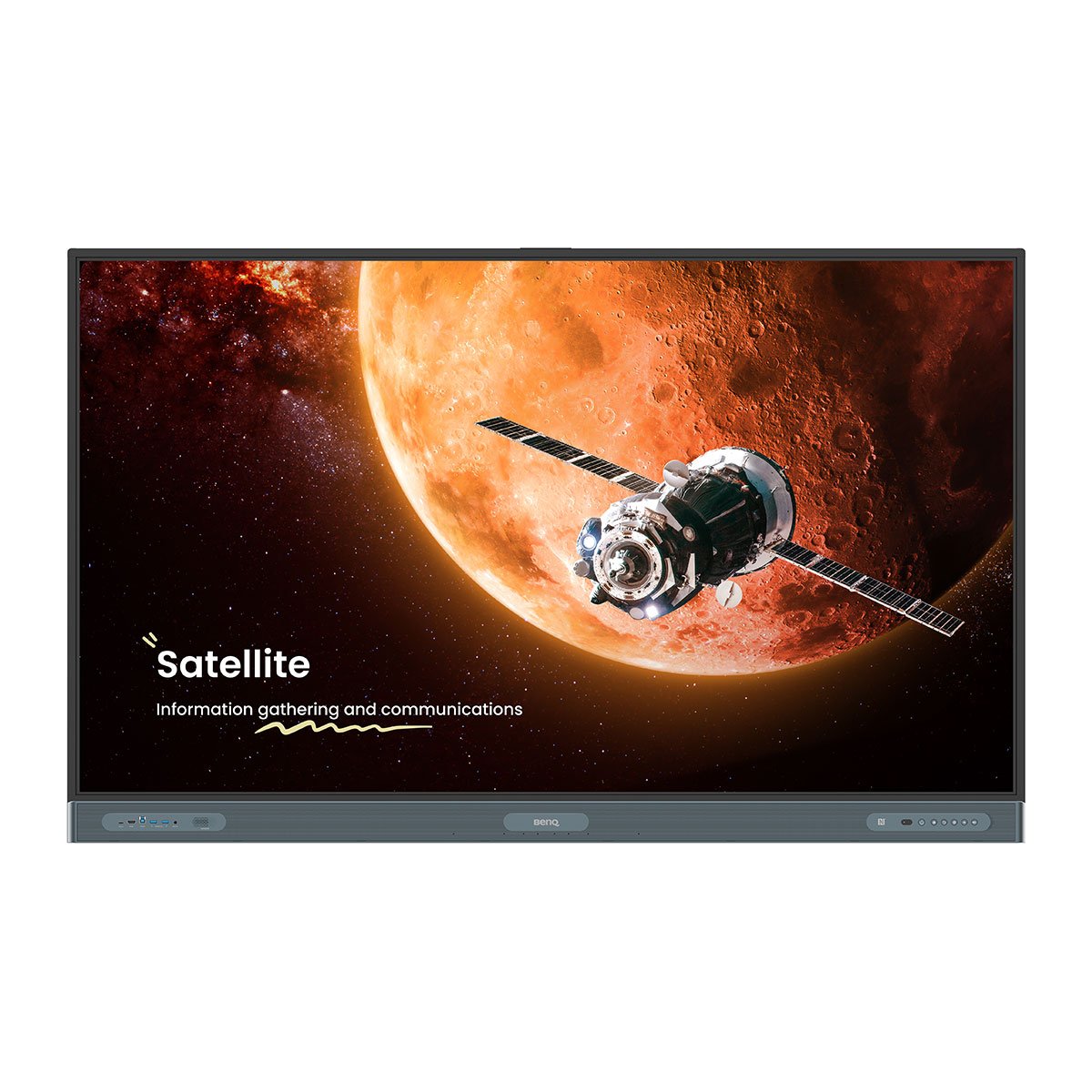
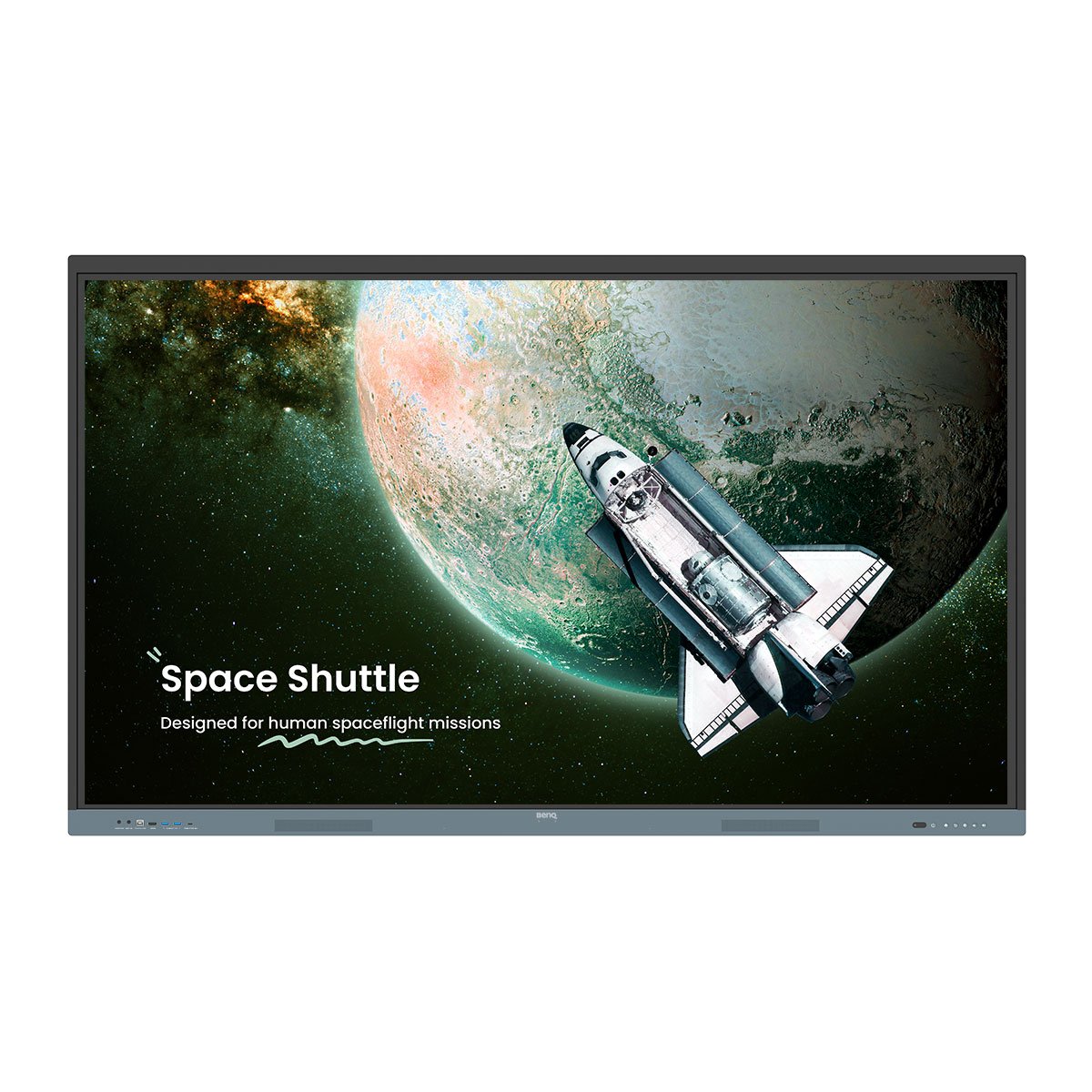
BenQ Board Pro RP05 Interactive Display – premium AI smartboard for modern education, Google EDLA certified.

Premium Education Solution

BenQ Board Pro RP05 Interactive Display

BenQ's most advanced board. Intuitive for teachers, effortless and secure for IT.

Premium Education Solution

BenQ Board Pro RP05 Interactive Display

BenQ's most advanced board. Intuitive for teachers, effortless and secure for IT.

  • Google EDLA certification logo – BenQ Interactive Display with built-in Google Play for education.

    Google EDLA Certified

    Google Play support

  • 10 TOPS NPU AI icon – BenQ Interactive Display with industry-leading AI for schools and teachers.

    10 TOPS NPU

    Industry-leading AI

  • AI teaching assistant icon – BenQ Interactive Display with built-in AI features for educators.

    Built-in AI features

    Do-it-all teaching assistant

  • Eyesafe 3.0 certified logo – BenQ smartboard providing advanced blue light protection for schools and teachers.

    Eyesafe 3.0

    Max blue light protection

  • Audio feature icon – BenQ Interactive Display with 70W high-quality sound for education.

    70W sound system

    Powerful, crisp audio

  • Directory sync icon – BenQ Board Pro RP05 Interactive Display with automatic account setup.

    Directory sync

    Auto account setup

  • NFC icon – BenQ Board Pro RP05 Interactive Display with multi-user login via QR code and NFC.

    Multi-user login

    QR Code and NFC

  • Android 15 icon – BenQ Board Pro RP05 Interactive Display with future upgradeable system.

    Android 15

    Future upgradeable

Less hassle for IT, secure logins for teachers

No manual account setup needed with directory sync. Import users from ClassLink, Clever, Google, Microsoft, and other identity providers and manage with ease.

Two teachers pointing at BenQ Board Pro RP05 Interactive Display – secure logins with directory sync, supporting ClassLink, Clever, Google, and Microsoft. Two teachers pointing at BenQ Board Pro RP05 Interactive Display – secure logins with directory sync, supporting ClassLink, Clever, Google, and Microsoft.

Deploy, manage,  and protect. Your way

The BenQ ecosystem simplifies device, app, and account management, reducing the workload for IT administrators.

IT administrator working on a computer – BenQ ecosystem simplifies device, app, and account management for schools.

Effective, user-friendly AI

Engage, captivate, and inspire

Designed for teachers, powered by AI. Simple to use and ready to transform learning.

Teacher using BenQ Board Pro RP05 Interactive Display with BenQ Pen – AI-powered smartboard designed to engage and inspire students.
  • Ask AI feature icon – BenQ Interactive Display delivers answers on the spot in classrooms.

    Ask AI

    Get answers on the spot

  • Lasso Search feature icon – BenQ Interactive Display enables teachers to circle, search, and discover content.

    Lasso Search

    Circle, search, discover

  • EZMath icon – BenQ Board Pro RP05 Interactive Display creates neat, legible formulas and shapes.

    EZMath

    Neat, legible formulas and shapes 

  • Circle to Artify icon – BenQ Board Pro RP05 Interactive Display turns notes and sketches into art.

    Circle to Artify

    From notes and sketches to art

Shape learning experiences your way

Enhance today's teaching methods, and be ready for the classroom needs of the future.

Beyond a whiteboard

Go beyond writing and drawing with EZWrite 6. Expand the whiteboard, split sections for group activities, and enrich lessons with 3D images, templates, and live camera feeds.

Three students using BenQ Board Pro RP05 Interactive Display with BenQ Board Pen – solving math problems and interacting with EZWrite 6.

Turn every lesson into a shared experience

Wireless screen sharing is easy with InstaShare 2. Cast from a laptop or mobile device whether it's the full screen, an app, or media like photos, videos, camera feed, or Office files. It also ensures a focused classroom by automatically blocking inappropriate content.

Multiple devices wirelessly casting to BenQ Board Pro RP05 Interactive Display – InstaShare 2 enables easy screen sharing for classrooms.

No two classrooms are the same

Every student and teaching environment is unique. The RP05 delivers the versatility you need to foster learning in any classrooms.

  • Scrolling ink feature – smartboard allows ink to move naturally as pages are scrolled in Note Browser.

    Scrolling ink

    Ink moves with the pages as you scroll in Note Browser

  • Ink Freely feature – smartboard enables adding notes and highlighting over apps, documents, or screens.

    Ink freely

    Add notes and highlight on top of any app, document, or screen

  • Side-by-side drag and drop feature icon – BenQ Interactive Display lets teachers move content seamlessly across apps.

    Side-by-side drag and drop

    Easily move content from different apps

  • Go Big feature icon – BenQ Interactive Display mirrors content to projectors for bigger learning environments.

    Go big

    Display-to-projector mirroring for larger environments

  • Two-screen icon – smartboard supports extending the workspace across multiple screens for classrooms.

    Double your workspace

    More space with screen extension 

  • Max compatibility icon – BenQ Board Pro RP05 Interactive Display supports Android, Windows, MacOS, ChromeOS, and more.

    Max compatibility

    Support Android, Windows, MacOS, ChromeOS, and more

Effortless to adopt

BenQ Boards are designed for easy adoption. Teachers and IT teams can also access a variety of resources to learn how to make the most of our interactive displays.

  • BenQ Boards onboarding guides for Education

    Onboarding guides

  • BenQ Teacher's Guides - Teach Your Way

    Teacher’s guides

  • BenQ Academy Site - Grow your Skills

    BenQ Academy

  • SKOV revitalises teaching with BenQ Boards

    ”BenQ Boards allow students to learn on their own or with groups. That's what education is all about."

  • PINGUIN chooses BenQ Boards for young learners

    ”With the digital whiteboard from BenQ, we are now practically one step closer to Kindergarten 4.0."

Young student interacting with BenQ Board Pro RP05 Interactive Display – ClassroomCare® ensures a safe and healthy learning environment.
classroomcare

ClassroomCare®

Attendance builds achievement

BenQ ClassroomCare® offers numerous protective features to ensure a safe environment for learning interactions.

ClassroomCare®

Attendance builds achievement

BenQ ClassroomCare® offers numerous protective features to ensure a safe environment for learning interactions.

  • Eyesafe 3.0 & RPF 60 feature icon – BenQ Interactive Display delivers advanced eye protection for education.

    Eyesafe 3.0

    Highest level of blue light protection

  • Eyesafe 3.0 & CPF 50 feature icon – BenQ Interactive Display supports circadian optimization for healthy learning.

    Circadian optimisation

    Supports healthy sleep

  • TUV Rheinland & SIAA ISO22196 feature icon – BenQ Interactive Display is germ-resistant for safe classroom learning.

    Germ-resistant

    Effective against 99.9% of common germs

  • Anti-glare and flicker-free feature – smartboard provides clearer visuals and minimizes eye strain for students and teachers.

    Anti-glare, flicker-free

    Reduced eye strain, improved visuals

  • Air Quality feature icon – BenQ Interactive Display provides real-time monitoring of classroom air quality.

    Air quality monitoring

    Track CO₂, PM₂.₅, and TVOC in real time

  • Built-in ioniser feature icon – BenQ Interactive Display maintains clean air in classrooms by regulating impurities.

    Built-in ioniser

    Regulate air impurities

BenQ Board Pro | RP05 Series

See all specifications

New
BenQ Board Pro | RP05

Contact Sales

4K UHD: 65", 75", 86"
Screen
Android 15.0 | EDLA
Operating System
A78 x 2 + A55 x 6 | 16GB | 256GB
Chipset | Memory | Storage
2 × 25 W + 20W Subwoofer | 8-microphone array
Audio
Ultra Precision IR (up to 50 points)
Touch Screen
NFC | Wi-Fi 6 | Bluetooth 5.2
Wireless connectivity
Access Controls, Directory Synchronization, Device Management
Management
Germ resistant, Eyesafe® 3.0 (RPF®60, CPF®50), Air quality
ClassroomCare®
BenQ Board Pro | RP04

Contact Sales

4K UHD: 65", 75", 86"
Screen
Android 15.0 | EDLA
Operating System
A78 x 4 + A55 x 4 | 8GB | 128GB
Chipset | Memory | Storage
2 × 20 W + 16W Subwoofer | 8-microphone array
Audio
Ultra Precision IR (up to 50 points)
Touch Screen
NFC | Wi-Fi 6 | Bluetooth 5.2
Wireless connectivity
Access Controls, Directory Synchronization, Device Management
Management
Germ resistant, Eyesafe® 2.0 (RPF®50), Air quality
ClassroomCare®
New
BenQ Board Master | RM05

Contact Sales

4K UHD: 65", 75", 86"
Screen
Android 15.0 | EDLA
Operating System
A78 x 2 + A55 x 6 | 8GB | 128GB
Chipset | Memory | Storage
2 × 25W speakers | 8-microphone array
Audio
Ultra Precision IR (up to 50 points)
Touch Screen
Wi-Fi 6 | Bluetooth 5.2 (Optional)
Wireless connectivity
Access Controls, Directory Synchronization, Device Management
Management
Germ resistant
ClassroomCare®
BenQ Board Essential | RE04

Contact Sales

4K UHD: 65", 75", 86"
Screen
Android 14.0 | EDLA
Operating System
A73 x 4 + A53 x 4 | 8GB | 128GB
Chipset | Memory | Storage
2 × 20W speakers
Audio
High Precision IR (up to 40 points)
Touch Screen
Wi-Fi 6 | Bluetooth 5.2 (Optional)
Wireless connectivity
Access Controls, Directory Synchronization, Device Management
Management
-
ClassroomCare®

Explore other BenQ Boards

FAQs

  • What is the BenQ Board Pro RP05?

    The BenQ Board RP05 is a premium interactive display designed for modern classrooms. It empowers teachers with AI-enabled teaching tools, ensures student safety with ClassroomCare® technology, and simplifies IT management through secure, automated account setup.

    Learn More
  • What is an NPU and why does the BenQ Board Pro RP05 need one?

    Most AI features rely on remote servers to process data. This setup works well for complex tasks that don’t require instant responses. However, for AI tasks that demand real-time performance, a Neural Processing Unit (NPU) enables these operations to run directly on the board. By processing AI tasks locally, the NPU not only delivers faster, more responsive performance but also enhances data privacy, since sensitive information doesn’t need to be transmitted to external servers.

    Learn More
  • Is the BenQ Board Pro RP05 easy to adopt for schools?

    Yes, the board is designed for intuitive use from day one. Most teachers can walk up to the display and start using it immediately. For additional support, BenQ offers teacher guides, training resources, and BenQ Academy courses to support ongoing professional development.

    Learn More
  • Can multiple teachers or students use the BenQ Board Pro RP05 at the same time?

    Yes. With up to 50 touchpoints and special feature that divide the board for friendly competition, teachers and students can both use the BenQ Board at the same time. To go farther the RP05 also supports multi-user logins via QR code or NFC. Teachers can log in instantly to securely access their personalized apps, files, and cloud accounts without worrying about data exposure.

    Learn More
  • How easy is it for IT teams to manage BenQ Boards?

    All BenQ smart displays support directory syncing with existing services (ClassLink, Clever, Google, and Microsoft), eliminating the need to manually create user accounts. Admins can also remotely install apps, update firmware, create power schedules, and adjust settings.

    Learn More
  • Can teachers use their preferred apps on the BenQ Board Pro RP05?

    Yes. The RP05 is Google EDLA Certified, giving teachers access to the Google Play Store to download their preferred educational apps. They can also connect their laptop via HDMI or USB-C and control it directly from the BenQ Board to use any app on the large screen.

    Learn More
  • How can the BenQ Board Pro RP05 be used beyond whiteboarding?

    Beyond whiteboarding, the RP05 enhances every part of teaching. Teachers can share content wirelessly, use interactive learning apps, and annotate over any lesson material. With built-in AI tools, cloud access, and video conferencing, it supports engaging, flexible, and connected classroom experiences.

    Learn More
  • What kind of advanced screen sharing capabilities are on the BenQ Board Pro RP05?

    BenQ’s screen-sharing software lets up to nine devices share their screens to the board, or allows the board to broadcast its screen to all devices in the classroom such as laptops and iPads. Teachers have full control over who can share or annotate on the display.

    Learn More
  • Is the BenQ Board Pro RP05 secure?

    Yes. The BenQ Board Pro RP05 incorporates comprehensive security measures, including user and device access controls, single sign-on, multi-factor authentication, and Google Play Protect. It also adheres to key international data protection regulations such as GDPR, CCPA, and PSTI, ensuring compliance and safeguarding user information.

    Learn More
Talk to an Expert
Please enter your valid work email address

Thanks for reaching out. We'll be in touch shortly.

Please verify that you are not a robot.

BenQ Corporation is committed to protecting and respecting your privacy, and we’ll only use your personal information to administer your account and to provide the products and services you requested from us. From time to time, we would like to contact you about our products and services, as well as other content that may be of interest to you. If you consent to us contacting you for this purpose, please tick below to say how you would like us to contact you:

You can unsubscribe from these communications at any time by sending an email at privacy@benq.eu . For more information on how to unsubscribe, our privacy practices, and how we are committed to protecting and respecting your privacy, please review our Privacy Policy.