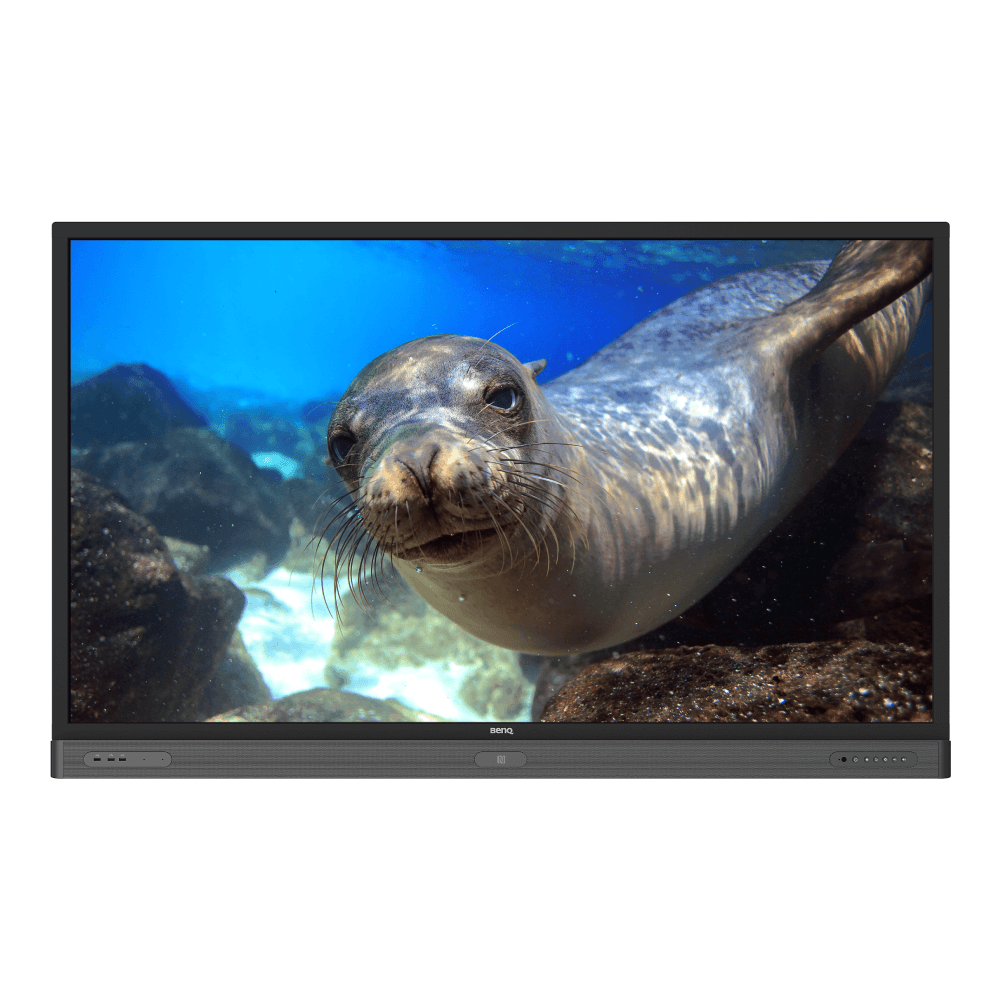
4K UHD 86’’ Education Interactive Flat Panel Display | RP860K
RP8601K is designed to tap into the dynamic possibilities of the classroom and help teachers build a healthy.
Application
 What options/functions can be controlled by DMS Local?

The DMS Local software allows you to remotely control/monitor your displays via LAN. It's an effective way to lower TCO (total cost of ownership) and energy consumption for your operation.
This video will show you the function of DMS Local.
Learn More
How do I delete/unbind the device from DMS Cloud?
If you would like to delete/unbind the device from DMS Cloud, please follow the demo video for detailed steps.
Learn More
How do I add a device by using unique ID for DMS Cloud?
A device must be added first in order to remotely monitor, control, and configure devices individually or as groups. Please follow the demo video to add a device using unique ID for DMS Cloud.
Learn More
How do I add a device by using QR code for DMS Cloud?
A device must be added first in order to remotely monitor, control, and configure devices individually or as groups. Please follow the demo video to add device using QR code for DMS Cloud.
Learn More
How do I use DMS Cloud to control the device remotely?
Devices can be controlled remotely in DMS Cloud. Please follow the demo video for detail steps.
Learn More
How do I upgrade apps for EZWrite 5.0 and X-Sign?
Most BenQ apps can be upgraded online. Please refer to the demo video for the upgrade process of EZWrite 5.0 and X-Sign.
Learn More
Why does it show "Display ID is invalid" when I tried to register EasySetting with my device?
Please make sure to check the followings:
(1) Is the network working properly? Make sure to use LAN instead of Wi-Fi for internet access.
(2) Make sure EasySetting whitelist is set up already. Learn More
(1) Is the network working properly? Make sure to use LAN instead of Wi-Fi for internet access.
(2) Make sure EasySetting whitelist is set up already. Learn More
Where can I download InstaShare App for Android/iOS/Windows/MAC OS?
Please refer to the following download sites for the app:
- Android phone/tablet: Search for "InstaShare" in Google Play and download the app.
- iOS phone/tablet: Search for "InstaShare" in the App Store and download the app.
- Windows/MAC: Follow the below steps to download the app from IFP:
(1) Ensure both IFP and PC are connected to the same network.
(2) Open IFP InstaShare app.
(3) Follow InstaShare instructions to download the app. Learn More
- Android phone/tablet: Search for "InstaShare" in Google Play and download the app.
- iOS phone/tablet: Search for "InstaShare" in the App Store and download the app.
- Windows/MAC: Follow the below steps to download the app from IFP:
(1) Ensure both IFP and PC are connected to the same network.
(2) Open IFP InstaShare app.
(3) Follow InstaShare instructions to download the app. Learn More
How do I publish messages with X-Sign Broadcast?
Messages can be easily published with X-Sign Broadcast. Please follow the demo video showing how to publish messages:
Learn More
How do I create a group tag and carry out IFP updates with X-Sign Broadcast?
Group tags can be easily set up and an IFP can be conveniently updated through X-Sign Broadcast. Please follow the demo video showing how to do so:
Learn More
How do I add and remove a device with X-Sign Broadcast?
An IFP device must be added to X-Sign Broadcast before use. Please follow the demo video showing how to add or remove a device:
Learn More
How do I register a new account with X-Sign Broadcast?
A new account must be registered with X-Sign Broadcast before use. Please follow the demo video showing how to register:
Learn More
How do I unbind the IFP from AMS?
The IFP must be unbound from AMS first before it can be bound to another account. Please follow the demo video on how to unbind the IFP.
Learn More
How do I bind the IFP to AMS?
The IFP must be bound to the AMS first in order to access a personal account. Please follow the demo video on how to bind the IFP.
Learn More
Does InstaShare support content projection from Chrome OS devices to interactive flat panels (IFPs)?
Yes. InstaShare supports content projection and casting from devices running Chrome OS to IFPs.
Learn More
Are there any suggested NFC card reader/writer for AMS?
Here are the suggested list:
1. ACS ACR1242U
3. D-Logic
5. ONETAK
Learn More
How do I connect with InstaShare?
InstaShare software is designed to allow seamless wireless presentation and collaboration, utilising smooth streaming of both audio files and Full HD videos.
Users can also mirror and control all digital content across their devices including BenQ IFPs, PCs, tablets, and smartphones, empowering contributors to enrich their sessions with a variety of multimedia resources.
Here is the step by step tutorial for connecting your device with InstaShare.
Learn More
How can I set authorization for different admins to manage different devices in X-Sign Broadcast?
If you have several admins and would like them to manage different devices, please follow this tutorial to set up X-Sign Broadcast.
For example, Admin A can only manage certain devices and cannot access devices that are assigned to Admin B.
Learn More
How can I delete an account from IAM?
Admin or user accounts can be deleted from the IAM website.
1. Enter BenQ IAM
2. Select the profile icon
Learn More
How can I copy specific files and upload them to a cloud drive with AMS Files?
We have a demo video explaining how to select files, copy them, and upload these files to the cloud. View the video here:
Learn More
How to bind the NFC card to the BenQ Account Management System (AMS) accouont?
To make it more convenient for users to access and manage their files and personal device environment, BenQ releases Account Management System (AMS) to make it easier for users to access and manage files as well as accounts.
This video will guide you on how to bind the NFC card to the AMS account. Learn More
This video will guide you on how to bind the NFC card to the AMS account. Learn More
How to bind your display to the BenQ Account Management System (AMS) account?
To make it more convenient for users to access and manage their files and personal device environment, BenQ releases Account Management System (AMS) to make it easier for users to access and manage files as well as accounts.
This video will guide you on how to bind your displays to the AMS account.
Learn More
How to add a corporate network drive to the BenQ Account Management System (AMS) account?
To make it more convenient for users to access and manage their files and personal device environment, BenQ releases Account Management System (AMS) to make it easier for users to access and manage files as well as accounts.
This video will guide you on how to add a corporate network drive to the AMS account.
Learn More
How to access your cloud storage in BenQ Account Management System (AMS)?
To make it more convenient for users to access and manage their files and personal device environment, BenQ releases Account Management System (AMS) to make it easier for users to access and manage files as well as accounts.
This video will guide you on how to access your cloud storage in AMS.
Learn More
How to use Agent Mode in BenQ DMS (Device Management Solution)?
BenQ DMS (Device Management Solution), combined with DMS Cloud and DMS Local, featuring leading technologies and intuitive interface, is your ultimate solution for device management.
This video will guide you on how to use Agent Mode in DMS.
Learn More
How to install Apps through BenQ DMS (Device Management Solution)?
BenQ DMS (Device Management Solution), combined with DMS Cloud and DMS Local, featuring leading technologies and intuitive interface, is your ultimate solution for device management.
This video will guide you on how to install Apps through DMS.
Learn More
How to bind your display to BenQ DMS (Device Management Solution)?
BenQ DMS (Device Management Solution), combined with DMS Cloud and DMS Local, featuring leading technologies and intuitive interface, is your ultimate solution for device management.
This video will guide you on how to bind your display to DMS.
Learn More
How to manage groups in BenQ DMS (Device Management Solution)?
BenQ DMS (Device Management Solution), combined with DMS Cloud and DMS Local, featuring leading technologies and intuitive interface, is your ultimate solution for device management.
This video will guide you on how to manage groups in DMS.
Learn More
How to push OTA updates through BenQ DMS (Device Management Solution)?
BenQ DMS (Device Management Solution), combined with DMS Cloud and DMS Local, featuring leading technologies and intuitive interface, is your ultimate solution for device management.
This video will guide you on how to push OTA updates through DMS.
Learn More
How to set a power schedule through BenQ DMS (Device Management Solution)?
BenQ DMS (Device Management Solution), combined with DMS Cloud and DMS Local, featuring leading technologies and intuitive interface, is your ultimate solution for device management.
This video will guide you on how to set a power schedule through DMS.
Learn More
How do I delete/unbind the device from DMS Cloud?
BenQ DMS (Device Management Solution), combined with DMS Cloud and DMS Local, featuring leading technologies and intuitive interface, is your ultimate solution for device management.
This video will guide you on how to unbind a display from DMS. Learn More
This video will guide you on how to unbind a display from DMS. Learn More
How to create user accounts in BenQ IAM (Identify and Access Management)?
With BenQ IAM (Identify and Access Management), you can manage all of your BenQ services (X-Sign, AMS, DMS) in one account.
This video will guide you on how to create user accounts in IAM.
Learn More
How to manage user roles in BenQ IAM (Identify and Access Management)?
With BenQ IAM (Identify and Access Management), you can manage all of your BenQ services (X-Sign, AMS, DMS) in one account.
This video will guide you on how to manage user roles in IAM.
Learn More
How can I set up the touch function in extended display mode?
Please refer to the video below for detailed instructions for how to set up touch functionality in extended display mode.
Learn MoreFurther Query
Why isn't "Display ID" shown on the device?
"Display ID" will not be shown if the network is not available. Please make sure your device is successfully connected to the Internet.
Learn More
A USB device or adapter dongle doesn’t work or interferes with other USB devices randomly. How can I make them work properly?
What options/functions can be controlled by DMS Local?
The DMS Local software allows you to remotely control/monitor your displays via LAN. It's an effective way to lower TCO (total cost of ownership) and energy consumption for your operation.
This video will show you the function of DMS Local.
Learn More
How do I delete/unbind the device from DMS Cloud?
If you would like to delete/unbind the device from DMS Cloud, please follow the demo video for detailed steps.
Learn More
How do I add a device by using unique ID for DMS Cloud?
A device must be added first in order to remotely monitor, control, and configure devices individually or as groups. Please follow the demo video to add a device using unique ID for DMS Cloud.
Learn More
How do I add a device by using QR code for DMS Cloud?
A device must be added first in order to remotely monitor, control, and configure devices individually or as groups. Please follow the demo video to add device using QR code for DMS Cloud.
Learn More
How do I use DMS Cloud to control the device remotely?
Devices can be controlled remotely in DMS Cloud. Please follow the demo video for detail steps.
Learn More
How do I upgrade apps for EZWrite 5.0 and X-Sign?
Most BenQ apps can be upgraded online. Please refer to the demo video for the upgrade process of EZWrite 5.0 and X-Sign.
Learn More
Why does it show "Display ID is invalid" when I tried to register EasySetting with my device?
Please make sure to check the followings:
(1) Is the network working properly? Make sure to use LAN instead of Wi-Fi for internet access.
(2) Make sure EasySetting whitelist is set up already. Learn More
(1) Is the network working properly? Make sure to use LAN instead of Wi-Fi for internet access.
(2) Make sure EasySetting whitelist is set up already. Learn More
Where can I download InstaShare App for Android/iOS/Windows/MAC OS?
Please refer to the following download sites for the app:
- Android phone/tablet: Search for "InstaShare" in Google Play and download the app.
- iOS phone/tablet: Search for "InstaShare" in the App Store and download the app.
- Windows/MAC: Follow the below steps to download the app from IFP:
(1) Ensure both IFP and PC are connected to the same network.
(2) Open IFP InstaShare app.
(3) Follow InstaShare instructions to download the app. Learn More
- Android phone/tablet: Search for "InstaShare" in Google Play and download the app.
- iOS phone/tablet: Search for "InstaShare" in the App Store and download the app.
- Windows/MAC: Follow the below steps to download the app from IFP:
(1) Ensure both IFP and PC are connected to the same network.
(2) Open IFP InstaShare app.
(3) Follow InstaShare instructions to download the app. Learn More
How do I publish messages with X-Sign Broadcast?
Messages can be easily published with X-Sign Broadcast. Please follow the demo video showing how to publish messages:
Learn More
How do I create a group tag and carry out IFP updates with X-Sign Broadcast?
Group tags can be easily set up and an IFP can be conveniently updated through X-Sign Broadcast. Please follow the demo video showing how to do so:
Learn More
How do I add and remove a device with X-Sign Broadcast?
An IFP device must be added to X-Sign Broadcast before use. Please follow the demo video showing how to add or remove a device:
Learn More
How do I register a new account with X-Sign Broadcast?
A new account must be registered with X-Sign Broadcast before use. Please follow the demo video showing how to register:
Learn More
How do I unbind the IFP from AMS?
The IFP must be unbound from AMS first before it can be bound to another account. Please follow the demo video on how to unbind the IFP.
Learn More
How do I bind the IFP to AMS?
The IFP must be bound to the AMS first in order to access a personal account. Please follow the demo video on how to bind the IFP.
Learn More
Does InstaShare support content projection from Chrome OS devices to interactive flat panels (IFPs)?
Yes. InstaShare supports content projection and casting from devices running Chrome OS to IFPs.
Learn More
Are there any suggested NFC card reader/writer for AMS?
Here are the suggested list:
1. ACS ACR1242U
3. D-Logic
5. ONETAK
Learn More
How do I connect with InstaShare?
InstaShare software is designed to allow seamless wireless presentation and collaboration, utilising smooth streaming of both audio files and Full HD videos.
Users can also mirror and control all digital content across their devices including BenQ IFPs, PCs, tablets, and smartphones, empowering contributors to enrich their sessions with a variety of multimedia resources.
Here is the step by step tutorial for connecting your device with InstaShare.
Learn More
How can I set authorization for different admins to manage different devices in X-Sign Broadcast?
If you have several admins and would like them to manage different devices, please follow this tutorial to set up X-Sign Broadcast.
For example, Admin A can only manage certain devices and cannot access devices that are assigned to Admin B.
Learn More
How can I delete an account from IAM?
Admin or user accounts can be deleted from the IAM website.
1. Enter BenQ IAM
2. Select the profile icon
Learn More
How can I copy specific files and upload them to a cloud drive with AMS Files?
We have a demo video explaining how to select files, copy them, and upload these files to the cloud. View the video here:
Learn More
How to bind the NFC card to the BenQ Account Management System (AMS) accouont?
To make it more convenient for users to access and manage their files and personal device environment, BenQ releases Account Management System (AMS) to make it easier for users to access and manage files as well as accounts.
This video will guide you on how to bind the NFC card to the AMS account. Learn More
This video will guide you on how to bind the NFC card to the AMS account. Learn More
How to bind your display to the BenQ Account Management System (AMS) account?
To make it more convenient for users to access and manage their files and personal device environment, BenQ releases Account Management System (AMS) to make it easier for users to access and manage files as well as accounts.
This video will guide you on how to bind your displays to the AMS account.
Learn More
How to add a corporate network drive to the BenQ Account Management System (AMS) account?
To make it more convenient for users to access and manage their files and personal device environment, BenQ releases Account Management System (AMS) to make it easier for users to access and manage files as well as accounts.
This video will guide you on how to add a corporate network drive to the AMS account.
Learn More
How to access your cloud storage in BenQ Account Management System (AMS)?
To make it more convenient for users to access and manage their files and personal device environment, BenQ releases Account Management System (AMS) to make it easier for users to access and manage files as well as accounts.
This video will guide you on how to access your cloud storage in AMS.
Learn More
How to use Agent Mode in BenQ DMS (Device Management Solution)?
BenQ DMS (Device Management Solution), combined with DMS Cloud and DMS Local, featuring leading technologies and intuitive interface, is your ultimate solution for device management.
This video will guide you on how to use Agent Mode in DMS.
Learn More
How to install Apps through BenQ DMS (Device Management Solution)?
BenQ DMS (Device Management Solution), combined with DMS Cloud and DMS Local, featuring leading technologies and intuitive interface, is your ultimate solution for device management.
This video will guide you on how to install Apps through DMS.
Learn More
How to bind your display to BenQ DMS (Device Management Solution)?
BenQ DMS (Device Management Solution), combined with DMS Cloud and DMS Local, featuring leading technologies and intuitive interface, is your ultimate solution for device management.
This video will guide you on how to bind your display to DMS.
Learn More
How to manage groups in BenQ DMS (Device Management Solution)?
BenQ DMS (Device Management Solution), combined with DMS Cloud and DMS Local, featuring leading technologies and intuitive interface, is your ultimate solution for device management.
This video will guide you on how to manage groups in DMS.
Learn More
How to push OTA updates through BenQ DMS (Device Management Solution)?
BenQ DMS (Device Management Solution), combined with DMS Cloud and DMS Local, featuring leading technologies and intuitive interface, is your ultimate solution for device management.
This video will guide you on how to push OTA updates through DMS.
Learn More
How to set a power schedule through BenQ DMS (Device Management Solution)?
BenQ DMS (Device Management Solution), combined with DMS Cloud and DMS Local, featuring leading technologies and intuitive interface, is your ultimate solution for device management.
This video will guide you on how to set a power schedule through DMS.
Learn More
How do I delete/unbind the device from DMS Cloud?
BenQ DMS (Device Management Solution), combined with DMS Cloud and DMS Local, featuring leading technologies and intuitive interface, is your ultimate solution for device management.
This video will guide you on how to unbind a display from DMS. Learn More
This video will guide you on how to unbind a display from DMS. Learn More
How to create user accounts in BenQ IAM (Identify and Access Management)?
With BenQ IAM (Identify and Access Management), you can manage all of your BenQ services (X-Sign, AMS, DMS) in one account.
This video will guide you on how to create user accounts in IAM.
Learn More
How to manage user roles in BenQ IAM (Identify and Access Management)?
With BenQ IAM (Identify and Access Management), you can manage all of your BenQ services (X-Sign, AMS, DMS) in one account.
This video will guide you on how to manage user roles in IAM.
Learn More
How can I set up the touch function in extended display mode?
Please refer to the video below for detailed instructions for how to set up touch functionality in extended display mode.
Learn More