{{item.name}}
Price: {{currency}}{{item.price| numberThousandsCommas | numberDecimalPoint}}
Qty: {{item.amount}}


Projectors

Monitors
Lighting
Interactive Displays & Signage
Remote Work & Learning
Shop
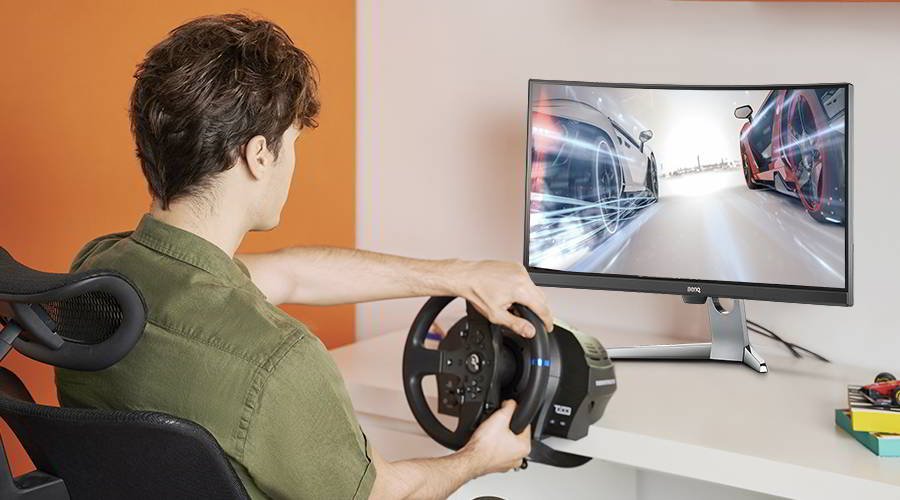
Ultrawide curved gaming monitors go perfectly together with sim racing titles, much more so than triple flat screens or even VR. Take a closer look at why that’s the case.
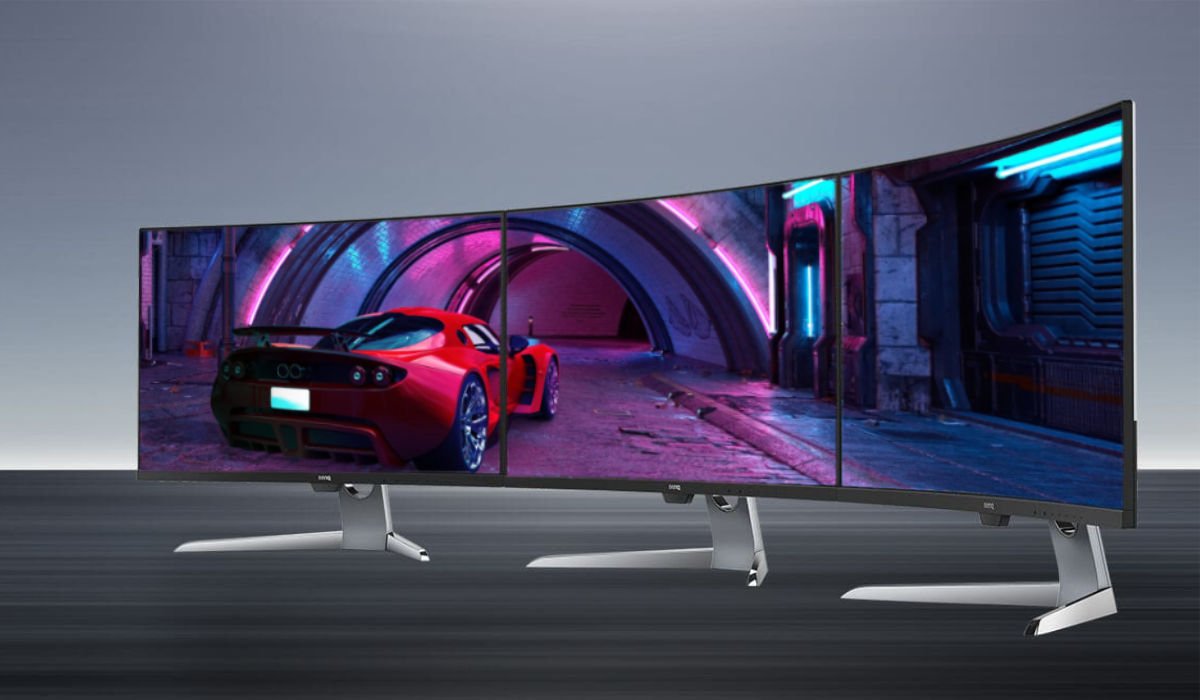
While simcade and arcade racing games are very popular and have made major inroads on console, hardcore sim racing titles remain best on PC. And that’s a good thing, because PCs are still more versatile and offer you far greater flexibility when choosing your display setup. VR sets prove quite popular, but they’re not for everyone. High speed flat screen gaming monitors make for superb multi-display arrangements, with three being the magical number for most users who seek to create a “surround view” monitor wall. But in this article we’ll quickly look at what we think is the perfect median, in the form of a single curved gaming monitor. This class of display sort of gives you the best of multiple worlds. The simplicity of one screen but with a curved viewing surface to add depth and an ultrawide form factor to increase your field of view to something much more similar to real world driving.
Curved and ultrawide must go together here. There are curved screens out there that aren’t ultrawide, but they’re rare. You should make sure to get that combination, though. Don’t settle for less, curved and ultrawide is the secret to sim racing thrills.
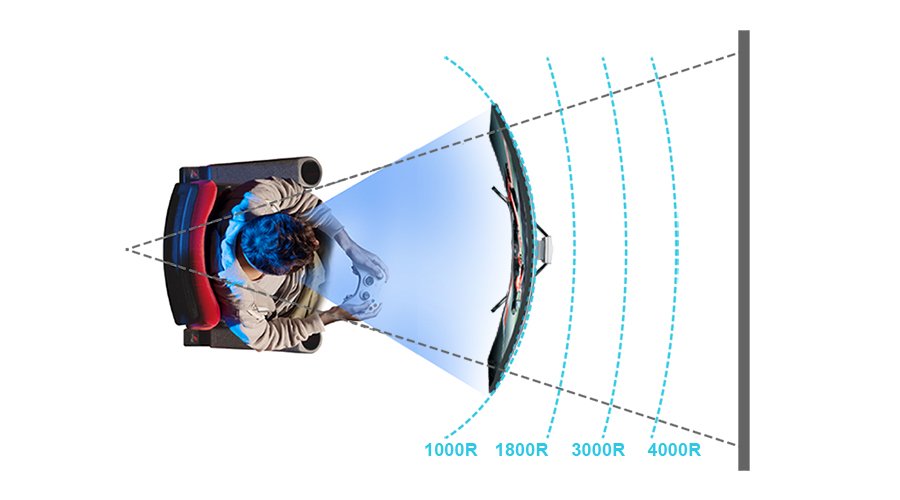
Unlike racing chairs, a good monitor for racing games doesn’t need to look flashy or have a variety of eye-catching colours. You should look for entirely different things here. We already mentioned the curve, and we have an explanation of that if you’re curious. A curved display offers a much closer match to the depth-based nature of human eyesight than flat screens. While not always night and day in difference, for sim racing the added accuracy in depth perception usually proves very enjoyable and beneficial.
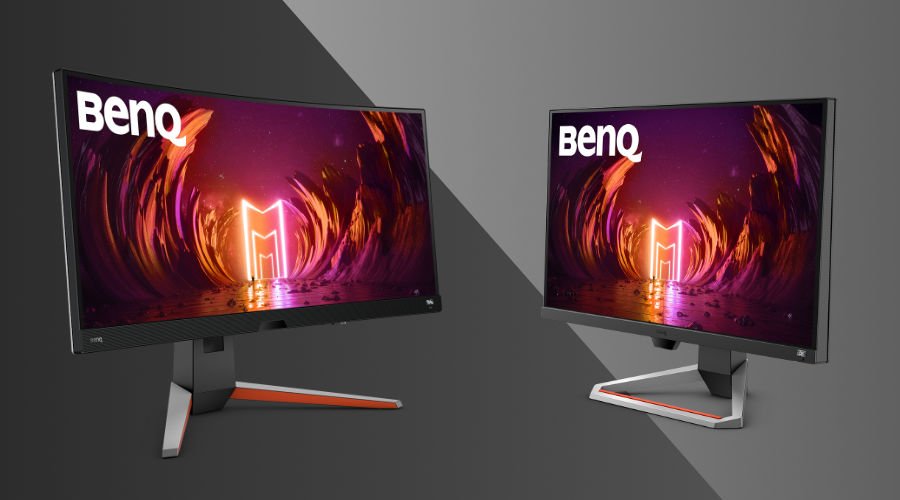
We won’t get into terminology in depth here, but a 1900R curve is ideal, as shown by the BenQ EX3415R. Aggressive 1000R or even 1500R curves may prove a bit much for a lot of users, but 1900R is just right. This is the perfect curve for a 21:9 ultrawide 3440 x 1440 screen. And 3440 x 1440 is a great resolution for detailed sim racers, because the 4 million plus pixel count doesn’t overburden even mid-range GPUs. Conversely, if you opt for a massive 32:9 ultrawide monitor you’ll likely need to power a 5120 x 1440, 5120 x 1600, or even 5120 x 2160 resolution. Those call for exponentially beefier graphics cards, thus complicating matters. An ultrawide 3440 x 1440, 21:9 monitor is for sure a sweet spot. Framerate underscores this, as you likely want to go over 60Hz. Good gaming monitors these days do 144Hz, and that’s perfectly reasonable for many GPUs at 3440 x 1440. However, 144Hz 5120 x 1600 would need a monster GPU, something that’s not easy to come by in many situations.
In addition to high refresh rate of 144Hz or more, you need fast response and low latency. Choose monitors with 1ms MPRT (moving picture response time), or 2ms GtG (grey to grey) at most. Another feature to remember is variable refresh rate support in the form of AMD FreeSync or NVIDIA G-Sync. The two are largely interchangeable, so if a monitor has one, it’ll almost certainly also work with the other. Both prevent unsightly screen tearing due to refresh rate discrepancies between the monitor and the GPU, an artefact that can rip you out of an immersive sim racing session real fast.
Not to brag, but the EX3415R really does cover everything we mentioned. You get a nice 34” IPS panel with 98% DCI-P3 and 10-bit colour, resulting in every track and car looking mighty fine. The sweet spot specs are in full force here, with an ultrawide 21:9 3440 x 1440 resolution and native 144Hz refresh with no overclock needed. The field of view is at least 40% wider than a 16:9 2560 x 1440 monitor on the horizontal axis, so you take in a lot more of the environment in each frame without having to turn the camera so much.
The EX3415R uses the 1900R curve we described above, has super-responsive 1ms MPRT, and includes AMD FreeSync Premium. From typical desktop viewing distances, this is the ultimate sim racer monitor, balancing resolution with size, response, framerate, and added features. What added features? Twin speakers and a subwoofer for 2.1-channel audio, for one. While headphones will work better for that immersion factor, if you do want to output to speakers, the EX3415R has enough audio oomph to make dedicated external speakers an unnecessary expense.
In short, a curved ultrawide monitor would make the most sense if you want a setup that shows sim racers in the most realistic way currently possible. Triple monitor arrangements may be too costly and complex. VR’s a very subjective experience still. But a single, finely-tuned curved monitor is the way forward.
Recommended Products
{{item.productWordingTag}}
{{currency}}{{item.finalPrice| numberThousandsCommas | numberDecimalPoint}} Save {{currency}}{{item.saveAmount | numberThousandsCommas | numberDecimalPoint}} Save {{item.savePercent | numberThousandsCommas | numberDecimalPoint}}%
new device price{{currency}}{{item.regularPrice| numberThousandsCommas | numberDecimalPoint}}