{{item.name}}
Price: {{currency}}{{item.price| numberThousandsCommas | numberDecimalPoint}}
Qty: {{item.amount}}

Remote Work & Learning


Projectors

Monitors
Lighting
Interactive Displays & Signage
Remote Work & Learning
Shop
Once upon a time PC users, especially gamers, had to buy external speakers for quality audio. Monitors frequently had no speakers and when they did, sound quality left much to be desired. Everything sounded flat and weak, so external speakers were needed. But, just as motherboards evolved to the point where most gamers don’t buy dedicated sound cards, so have monitors improved. Many current displays aimed at entertainment and gaming include impressive dual speaker designs with an independent subwoofer, known as 2.1 audio. They produce strong stereo with deep bass, so you don’t have to go out and get external speakers unless you really want to.
The differentiation between monitors and TVs continues to narrow. In the past TVs emphasized both image and sound while monitors focused on visuals alone. Today’s monitors essentially act as TV replacements by providing a full audio-visual experience. The rise of entertainment and gaming-focused monitors has boosted the joint development of display and sound technology. Games demand the finest graphics performance and also depend on precise and impactful sound. Therefore, monitors designated for gaming often boast impressive audio that competes with TVs. Similarly, with more people using monitors to watch movies and TV shows via streaming services, the need for comprehensive built-in audio has increased.
So the answer to the question posed in the title is clear. Many modern gaming and entertainment monitors deliver good sound without the aid of external sound. Beyond saving money on unnecessary speakers, integrated audio also helps keep your desk neat by reducing cable and device clutter. Today's gaming and entertainment monitors provide a full, all-in-one platform with a wealth of connections that accommodate your PC, consoles, streaming boxes, and more.
Sound essential for gaming and entertainment monitors
As video games grew into the biggest form of entertainment on the planet, they also grew in sophistication. While graphics may be the most apparent aspect of gaming, sound plays an equally important part in every genre. Action games require keen situational and directional awareness generated by sonic clues. Narrative-driven titles have lush soundtracks to convey emotions and empower stories. Grand strategy games use countless sound effects to let players know what’s going on. With poor sound, you miss out not just on experiences but on the ability to enjoy some games at all. And, of course, professional multiplayer gamers will tell you that without good sound winning becomes unlikely.
Monitors like BenQ MOBIUZ feature immersive audio that does justice to all the hard work sound development teams put into each game, and into movies and TV shows. With the latter, good sound makes all the difference. Watch a movie or a show on a monitor with tinny speakers and you may not even understand what characters are saying, let alone get the nuances of the soundtrack. Enjoy the same content on a monitor with finely-tuned, powerful sound and new layers of meaning come to life.
Of course, all modern gaming and entertainment monitors ship with headphone outs for you to keep things considerate. There’s no need to bother anyone with loud sound, so just plug in your favorite headset whenever required.
Adding external audio systems to monitors is still an option. Sure, you can go out and get a dedicated sound bar or connect monitors to amplifiers. However, three factors work against that choice. Buying dedicated audio gear costs extra money, plus will jack up your electric bill because those external speakers or soundbar require their own power. Then you have all the added clutter, cables and connections. Those quickly devolve into a big mess, and we heartily recommend you devote connections to source devices like PCs and consoles as opposed to optional external audio.
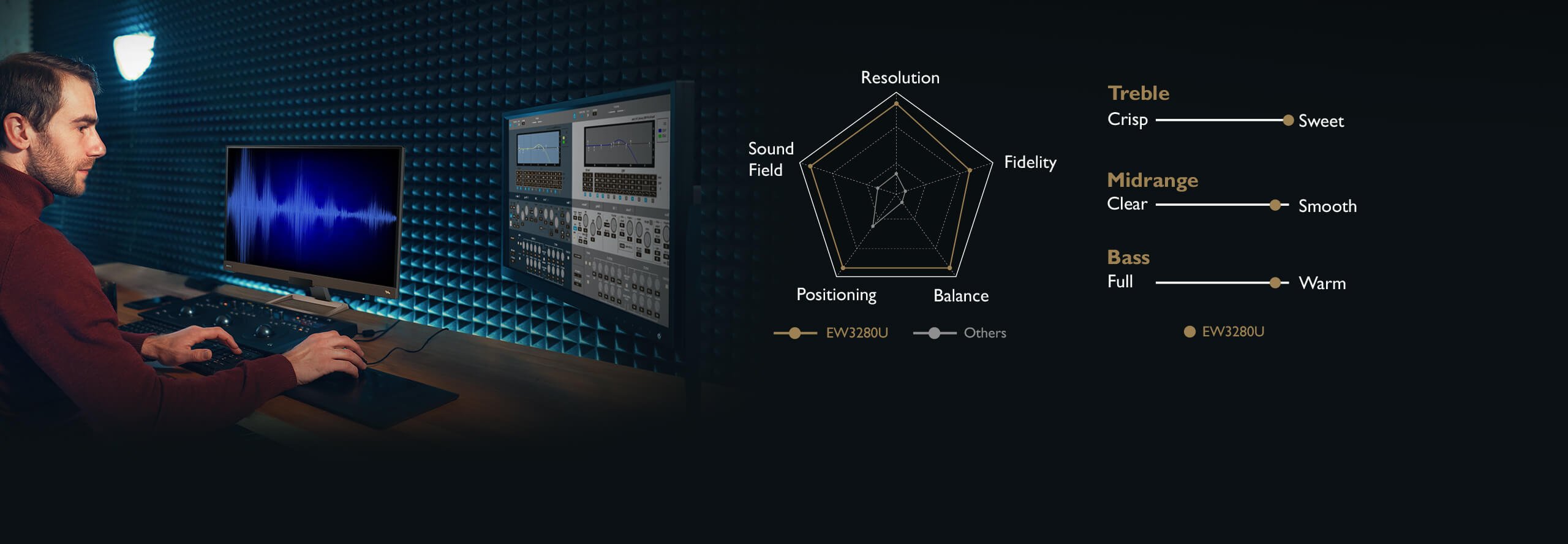
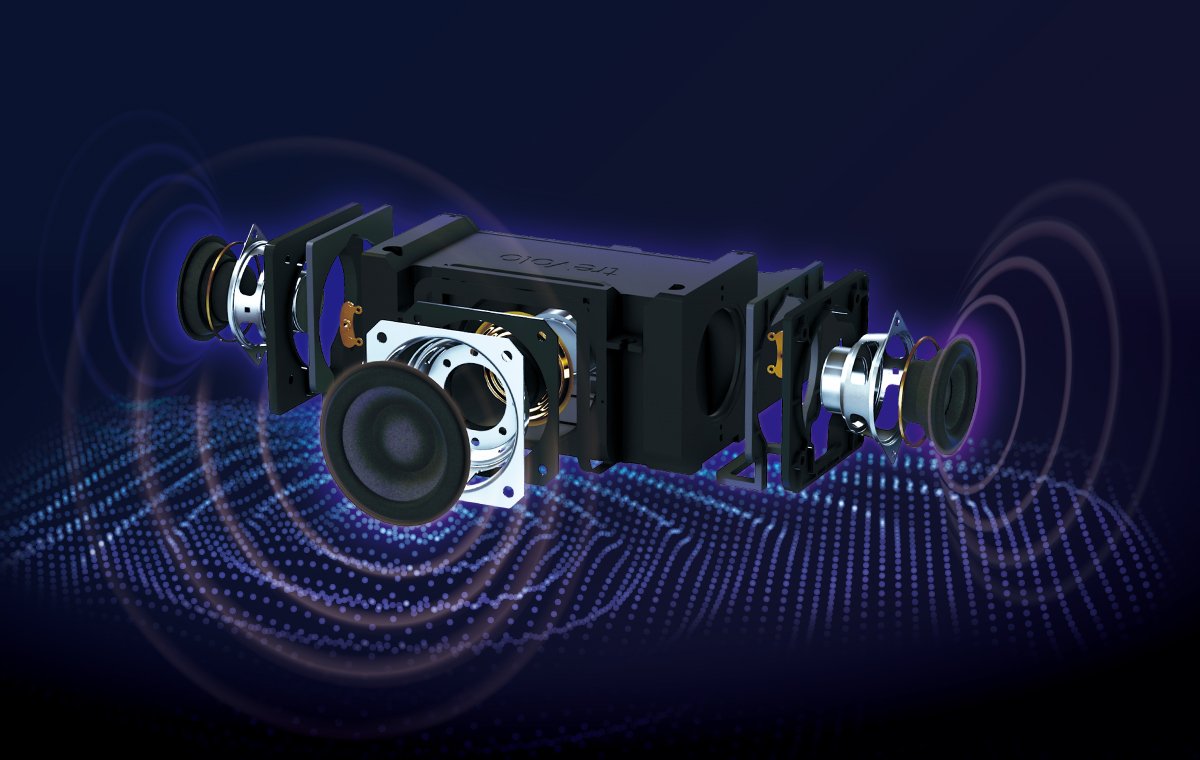
Do remember not all monitor audio is made equal. Many manufacturers use basic speakers and subwoofers that neither sound great nor last long. At BenQ, we developed treVolo audio technology with a team of some of the best sound engineers in the world. Neodymium drivers, durable speaker membranes, and tough construction are just on the hardware side of things. It’s a difference worth listening to.
In the past, good sound on a monitor was nearly impossible or required a thick, bulky display. Contemporary gaming monitors fit spectacular sound into slim designs. On every practical level, there’s simply no need to buy external speakers, as you won’t gain anything for the money you spend on them. If you want true hi-fi or room-filling sound then, sure, go for big audio but then you shouldn’t be in the market for a typical 27”-32” monitor anyway. You’d be better served by what we refer to as a BFGD, or big format display (40” and above). Those combine the speediness of monitors with large TV-class sound and can envelope an entire room in sonic delight. Otherwise, get a monitor, connect your PC or console, and start enjoying stunning sound.
Recommended Products
{{item.productWordingTag}}
{{currency}}{{item.finalPrice| numberThousandsCommas | numberDecimalPoint}} Save {{currency}}{{item.saveAmount | numberThousandsCommas | numberDecimalPoint}} Save {{item.savePercent | numberThousandsCommas | numberDecimalPoint}}%
new device price{{currency}}{{item.regularPrice| numberThousandsCommas | numberDecimalPoint}}