azure-location

Need help choosing your next BenQ product? Our online Live Chat connects you with real experts. No bots - just genuine human assistance.

Chat with us today!

Need help choosing your next BenQ product? Our online Live Chat connects you with real experts. No bots - just genuine human assistance.

Best Lighting for Dark Rooms: A Programmer's Guide

  • BenQ
  • 2026-03-17

Most people see a dark room as a gloomy space that needs more light. That’s why common solutions often involve LED strips, floor lamps, or wall sconces to brighten things up.

For programmers, however, darkness is often intentional. A dim environment can reduce distractions and help you stay focused on code, but the tradeoff is that your eyes bear most of the strain.

This guide will cover both perspectives: how to generally light a dark room and how programmers can protect their eyes with the right supplementary lighting.

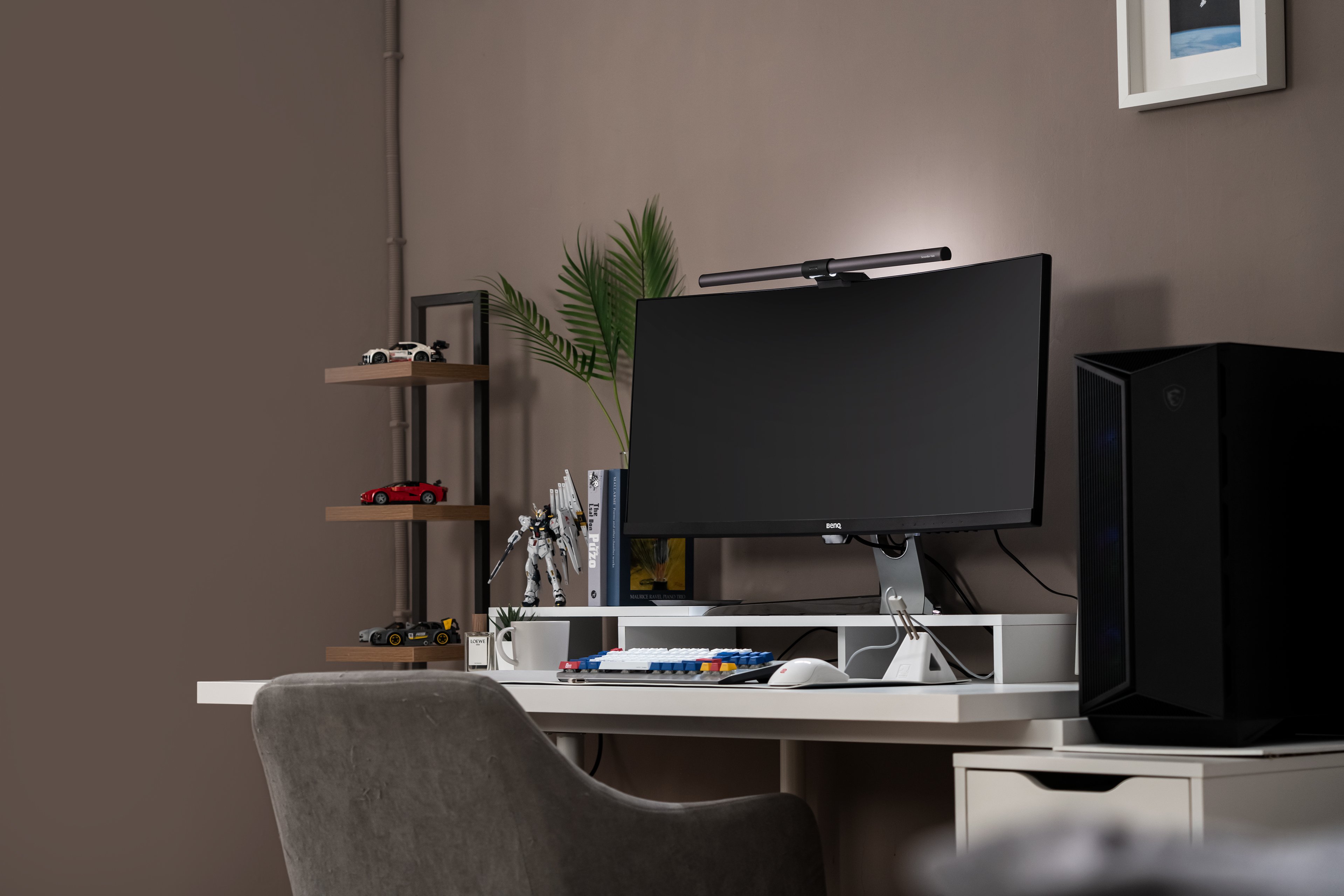
best lighting for dark room for programmers: ScreenBar Halo 2

Why Dark Rooms Strain Your Eyes More Than You Think

Working in a dark room feels like the perfect setup for coding: no distractions, no glare from overhead lights, just you and your monitor. But what feels productive can quietly strain your eyes.  
 
Here’s why: 

Problem

What Happens in a Dark Room

Impact on Programmers

Harsh contrast

Your screen becomes the only light source. Against a pitch-black background, every line of code appears brighter than it should.

Eyes are constantly adjusting to extreme contrast, which causes contrast glare.

Faster fatigue

In the dark, pupils stay dilated, making your eyes extra sensitive to light.

Long hours of coding can lead to headaches and eye strain.

Dry eyes & poor sleep

Reduced blinking and disrupted light signals can confuse your circadian rhythm.

This can results in dry eyes and make it harder to rest after late-night coding.

In short, a pitch-black room doesn’t just boost focus, it also increases the strain on your eyes. Without the right supplementary lighting, you’re trading long-term comfort for short-term concentration.

General Principles of Lighting in Dark Rooms

Not every dark room needs to stay gloomy. Whether it’s a bedroom with no windows or a living space painted in darker colours, the goal is usually to add layers of light so the room feels balanced and more comfortable. Here are some of the most common solutions people look use:

Lighting Method

How It Works

Best Use Case

LED strips

Flexible strips can outline shelves, desks, or walls to provide soft, indirect illumination.

Great for adding modern accents or making small rooms feel more open.

Floor lamps

Portable and easy to reposition, they often provide upward or diffused light.

Ideal for renters or anyone who needs flexible lighting without making renovations.

Wall sconces / wall lights

Mount on walls to cast light across surfaces and reduce shadows.

Works well in hallways, bedrooms, or any space where floor space is limited.

Recessed lighting

Built into the ceiling, providing clean, unobtrusive brightness.

Ideal as a permanent solution for living rooms or offices.

Mirrors & light colours

Reflects and spreads existing light, with lighter walls amplifying the effect.

Simple trick to make any dark space appear brighter without new fixtures.

Floor Lamp

LED Strips

Wall sconces / wall lights

Special Case: Programmers Who Prefer Dark Rooms

Not everyone wants to make a dark room brighter. For programmers, the darkness is often intentional. It creates a deep-focus zone where distractions fade away. Late at night, coding in a pitch-black room with only the monitor glowing can feel natural and immersive.  
 
But the same setup that sharpens concentration also magnifies eye strain. The real challenge is finding a way to add just enough light to protect your eyes without breaking your coding atmosphere.

  • Immersion vs. Comfort 
    The darker the environment, the harder your eyes work to handle contrast.

  • Short-Term Productivity vs. Long-Term Health 
    You may finish more tasks tonight, but your eyes pay the price tomorrow.

  • The Missing Link 
    What you need isn’t a fully lit room, it’s supplementary lighting that reduces strain without disrupting focus.


This is where a different approach, bias lighting, comes in. By softly illuminating the area behind your screen, you can maintain your coding cave while protecting your eyes from the hidden costs of working in total darkness.

The Role of Bias Lighting for Screens

Bias lighting is a simple yet powerful technique: place a soft light behind your monitor so it shines onto the wall, not your eyes or the screen itself. Rather than brightening the entire room, it balances the contrast between your glowing display and the dark surroundings.

What Is Bias Lighting?

You might be wondering: why add extra light if you can already see the screen clearly? The answer is contrast glare. When your monitor is the only light source in a pitch-black room, your eyes must constantly adapt between the bright display and the dark surroundings, leading to strain, fatigue, and discomfort. Bias lighting solves this by softening that extreme contrast, creating a more comfortable viewing experience without breaking the coding atmosphere.

 
Why it works:

  • Relieves visual strain 
    By lowering contrast glare, your eyes don’t need to constantly readjust.

  • Makes text easier to read 
    Balanced background light reduces eye fatigue when scanning lines of code for hours.

  • Preserves immersion 
    Unlike a floor lamp or overhead light, bias lighting keeps the “coding cave” intact while adding comfort.

 
So how does bias lighting actually stack up against a regular desk lamp or room lighting? Here’s a quick comparison:

Lighting Type

How It Works

Pros

Cons

Room lighting  
(floor lamp, wall light, LED strips)

Brightens the entire space.

Improves general mood, reduces gloominess.

Can break immersion for programmers who like a dark setup.

Desk lamp

Directs light onto your desk or keyboard.

Good for paperwork and task lighting.

Creates glare, screen reflections, and uneven brightness.

Bias lighting

Illuminates the wall behind your monitor.

Reduces contrast glare, lowers eye strain, preserves focus.

Doesn’t brighten the whole room. Built for visual comfort, not ambience.

Want a deeper dive? Read our detailed guide here: What is a monitor backlight and why do you need it?


BenQ ScreenBar Halo 2: Built for Dark Room Programmers

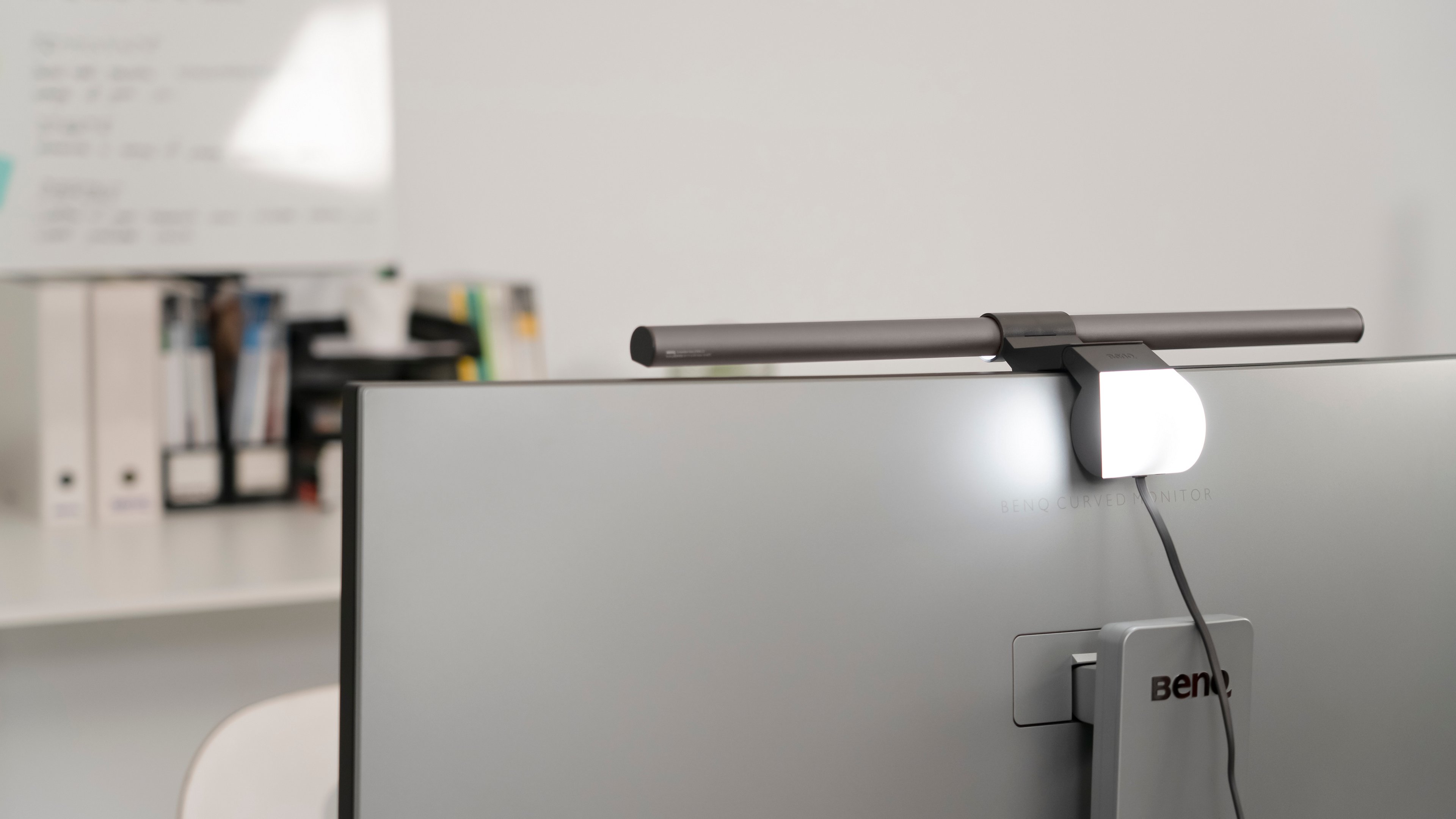
For programmers, the challenge is striking a balance: keep the room dim for focus, but add just enough light to stay comfortable. That’s where the BenQ ScreenBar Halo 2 comes in. It combines front task lighting with rear bias lighting, designed specifically for people who spend hours in front of a screen. 
 

  • Bias lighting

    Softly illuminates the wall behind your monitor, reducing contrast glare and creating a more comfortable coding environment without breaking immersion.

  • Auto-dimming 

    Instantly adjusts brightness based on your environment, so you can always code with the right amount of light, no manual tweaking required.

  • Precise brightness and colour temperature control

    The wireless controller lets you fine-tune levels with digital accuracy. Instead of vague “low / medium / high” steps, you get exact numeric feedback, making adjustments repeatable and consistent.

ScreenBar Halo 2: precise brightness and color temperature control
Instead of flooding your room with unnecessary brightness, the ScreenBar Halo 2 delivers targeted, intelligent lighting that matches the way programmers actually work. 

Practical Tips for Combining Room and Desk Lighting

Even if you prefer a darker workspace, the best setup blends both general room lighting and focused desk lighting:

Lighting Zone

Recommended Setup

Why It Helps

Room

Keep a dim floor lamp or LED strip in the background.

Prevents extreme contrast between the monitor and the surroundings.

Desk

Use a monitor light bar with front and rear lighting.

Lights your keyboard without glare; bias light reduces strain.

Colour temperature

Daytime: 4000–5000K 
Night: 2700–3500K.

Matches the circadian rhythm, improves comfort, and sleep.

Surfaces

Matte walls and non-reflective desks.

Avoids harsh reflections and glare hotspots.

The goal isn’t to make your workspace bright. It’s to create a balanced, comfortable environment that lets you stay focused without sacrificing eye health.

Conclusion

Working in a dark room may help you concentrate on code, but it also increases the stress on your eyes. The best lighting for dark rooms isn’t about blasting brightness everywhere., it’s about smart supplementary light that reduces contrast glare and protects your vision.

With bias lighting and solutions like the BenQ ScreenBar Halo 2, programmers can keep their immersive, distraction-free setup while giving their eyes the comfort they deserve.

Monitor Lighting that Empowers Your Focus and Flow

Precision Light for the Late-Night Coder

Monitor Lighting that Empowers Your Focus and Flow
 

Was this article helpful?

Yes No

Recommended Products

  • Save {{currency}}{{item.saveAmount| numberThousandsCommas | numberDecimalPoint}}
    Save {{item.savePercent| numberThousandsCommas | numberDecimalPoint}}%

    {{item.productWordingTag}}

    {{item.title}}

    • {{point}}

    {{currency}}{{item.finalPrice| numberThousandsCommas | numberDecimalPoint}} Save {{currency}}{{item.saveAmount | numberThousandsCommas | numberDecimalPoint}} Save {{item.savePercent | numberThousandsCommas | numberDecimalPoint}}%

    new device price{{currency}}{{item.regularPrice| numberThousandsCommas | numberDecimalPoint}}