{{item.name}}
Price: {{currency}}{{item.price| numberThousandsCommas | numberDecimalPoint}}
Qty: {{item.amount}}

Remote Work & Learning


Projectors

Monitors
Lighting
Interactive Displays & Signage
Remote Work & Learning
Shop
The first order of the article must be to explain in brief what HDCP stands for and does. High-bandwidth Digital Content Protection was developed to prevent illegal copying of digital high definition media. That covers physical items like Blu-ray discs and all-digital transmission, most notably streaming services such as Netflix and Hulu. HDCP exists as a form of digital rights management, or DRM, an umbrella term for copy protection as applied to digital media.
HDCP (High-bandwidth Digital Content Protection), originally crafted by Intel engineers, has become a staple in the technology and entertainment sectors. While often confused with HDMI, HDCP is a distinct technology providing copy protection and piracy prevention across three main connection types: HDMI, DVI, and DisplayPort. It's crucial to remember that all your devices and cables must be HDCP-compliant to enjoy 4K content, as HDMI has become nearly ubiquitous. This includes every component in your setup: the source (like streaming boxes, Blu-ray players, PCs, game consoles, and HDMI splitters), the cables, and the receiving device—be it a projector, TV, or monitor. If even one part lacks HDCP certification, you risk not being able to play 4K content or any content at all. Moreover, all components must support the same HDCP version to avoid downgrading to full HD instead of 4K. As of now, HDCP 2.3 is the relevant version.
Interestingly, if you stream content directly from the operating system of a smart TV or projector using built-in apps, HDCP doesn’t apply. It becomes relevant when connecting multiple devices via cables.
It's worth noting that the video game industry has opted for different protection mechanisms, such as Denuvo, rather than HDCP. Therefore, if you're connecting an Xbox or PlayStation to a 4K display solely for gaming, HDCP isn’t a concern.
The protocol establishes a handshake between source and input devices to make sure content has been properly authored and protected against illicit copying. Devices designed for HDCP actively enter into a dialogue with each other and look for the HDCP security key. If keys are missing anywhere along the line, you can’t play the content because devices assume security has been compromised or you’re trying to play pirated versions of movies, TV shows, and other content types.
As an evolving form of copy protection, HDCP has proven very useful to content owners over the last decade and a half. However, the protocol clearly adds layers of complexity for users, which has become all the more apparent with the arrival of 4K.
Absolutely. As of 2025, HDCP 2.3 is the latest version, succeeding HDCP 1.4 and 2.2. The confusion with HDMI often arises because HDCP versions have coincided with HDMI developments. HDCP 1.4 was aligned with HDMI 1.3/1.4, while HDCP 2.2 appeared alongside HDMI 2.0. With the advent of HDMI 2.1, HDCP 2.3 remains crucial for enjoying 4K content. As 8K content becomes more prevalent, we can expect further iterations of HDCP to emerge.
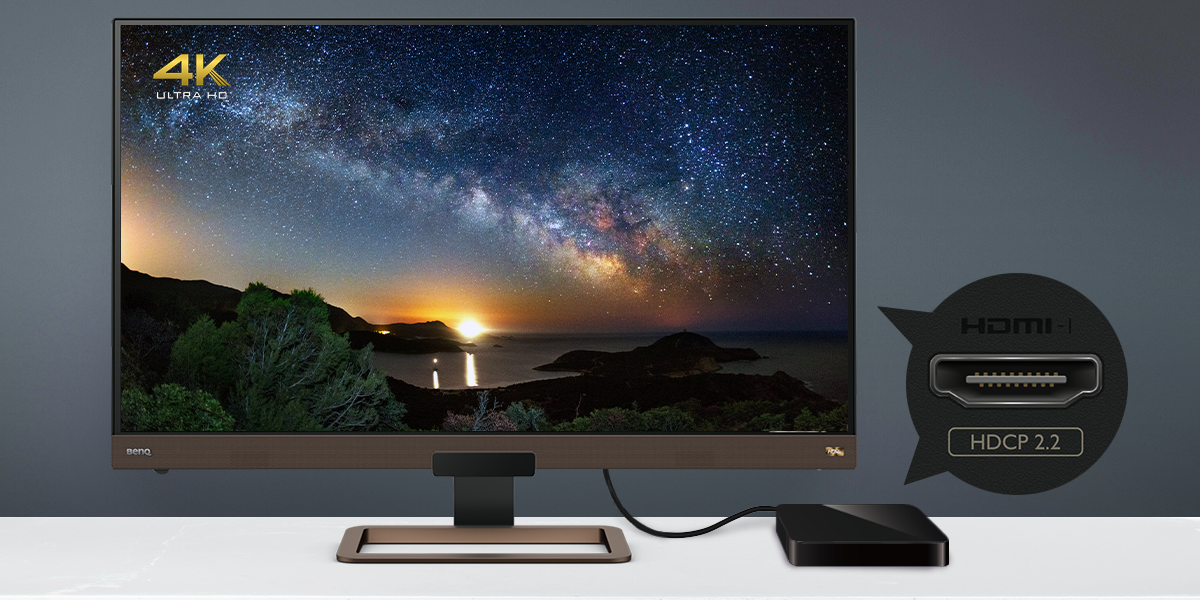
To enjoy 4K content seamlessly, all components in your setup must comply with HDCP 2.2 or 2.3. Imagine connecting a 4K streaming box to a budget 4K TV or monitor with non-HDCP certified HDMI ports; this often results in error messages or a lack of display. While game consoles are unaffected by HDCP for gameplay, entertainment apps will likely show errors. A more common issue arises when content is downgraded to 1080p full HD due to partial HDCP handshakes. This occurs when a device claims to be 4K but only supports HDCP 1.4, leading to wasted investment in 4K hardware.
The handshake process is crucial; HDCP 2.2 and 4K are inseparable. Without HDCP 2.2, true 4K viewing is unattainable.
For now, ensure all devices and cables in your setup explicitly state HDCP 2.2 or 2.3 compatibility. This guarantees that you can enjoy 4K content in its full glory without any downgrades. The most common connection types you'll encounter are HDMI 2.0/2.1. Remember, HDMI requires HDCP to function correctly. Be wary of deals on 4K devices that seem too good to be true, as they might skip the cost and development involved in implementing HDCP 2.2 or 2.3, thus not delivering true 4K quality. Now you're informed!
Yes, BenQ monitors, particularly those in the EX Series, are designed to support HDCP, including the latest HDCP 2.3 version. This compatibility ensures that users can enjoy high-definition content, such as 4K media, without encountering playback issues related to digital content protection. By supporting HDCP 2.2 & 2.3, BenQ monitors are equipped to handle the stringent security requirements necessary for modern digital content, providing a seamless viewing experience. This means that when using a BenQ EX Series monitor, you can connect your HDCP-compliant devices—such as Blu-ray players, streaming boxes, and gaming consoles—confident that the content will display as intended, without downgrades or interruptions. BenQ's commitment to integrating HDCP support reflects their dedication to quality and innovation, ensuring that users can fully leverage the capabilities of their high-resolution displays.
Recommended Products
{{item.productWordingTag}}
{{currency}}{{item.finalPrice| numberThousandsCommas | numberDecimalPoint}} Save {{currency}}{{item.saveAmount | numberThousandsCommas | numberDecimalPoint}} Save {{item.savePercent | numberThousandsCommas | numberDecimalPoint}}%
new device price{{currency}}{{item.regularPrice| numberThousandsCommas | numberDecimalPoint}}