azure-location

Need help choosing your next BenQ product? Our online Live Chat connects you with real experts. No bots - just genuine human assistance.

Chat with us today!

Need help choosing your next BenQ product? Our online Live Chat connects you with real experts. No bots - just genuine human assistance.

2026 World Football Streaming Guide: How to Watch Live on Your Projector

  • BenQ
  • 2026-03-17

The biggest football tournament of 2026 is here — and this time, it's on a scale the world has never seen before. For the first time ever, 48 national teams will compete across three host nations, with 104 matches played over 39 epic days.

From the opening kick-off on 11th June to the final showdown on 19th July, the drama, the heartbreak, and — fingers crossed — the glory could be coming home. The question is: are you set up to watch it the way it deserves to be watched?

This guide breaks down how to stream every match in the UK, and why a big-screen projector is the only way to do the tournament justice.

How to Watch the 2026 World Cup on Your BenQ Projector

The 2026 World Football Tournament will be broadcast across multiple TV channels and streaming platforms. There are plenty of ways to watch, but here are two of our favourites:

1. Live TV streaming apps via built-in Google TV*

Top Picks: YouTube, Prime Video, Channel 4, Channel 5

Simply search for the best football streaming apps or check recommendations on Google Play Store. Download them directly to your projector to enjoy the full experience — from pre-match analysis to halftime discussions and post-match breakdowns.

2. Cast directly from your phone

Top Picks: BBC iPlayer and ITVX

For a fast and simple setup, cast your favourite sports apps straight from your phone. Instantly transform your living room into a 150-inch football arena for every thrilling moment of the tournament.

⚠️ Note: Some services require a paid subscription, or TV licence. Automatic billing may begin after trial periods, so review subscription and cancellation terms carefully.

Bonus tip:
Download the FIFA+ app for free match highlights and real-time stats — the perfect tactical companion for your big-screen setup.

*Google TV app availability varies by region. To stream BBC iPlayer and ITVX simply cast from your phone — quick, easy, and no download needed.

Why a Big-Screen Projector Is the Best Way to Watch Football

With 48 teams competing on the pitch, smartphones and tablets simply don't do justice to the lightning-fast action and intricate field details. To truly feel the game, a home projector delivers three advantages no television can match:

1. True stadium-scale immersion

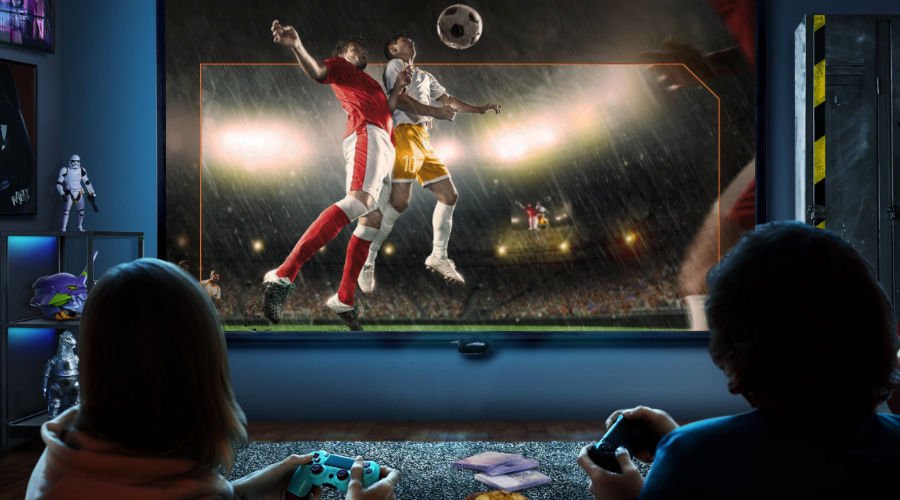
Project a massive 120" to 150" image and suddenly every sprint, every tackle, and every last-minute winner feels like you're right there on the terraces. From Wembley to your living room — this is as close as it gets.

2. Perfect for football watch parties

Some of the best matches will kick off in the evening, which means one thing: mates round, snacks sorted, and the living room transformed into a proper fan zone. A BenQ projector makes your home the place to be for every fixture.

3. Comfortable for the long haul

With 104 matches across nearly six weeks, your eyes are going to be putting in shifts. Projectors use diffused light — far gentler than a direct TV screen — so you can watch match after match without the eye strain. Because no fan should have to tap out early.

Watch Big. Watch Smart. Watch with a Google TV Home Projector.

A BenQ home projector with built-in Google TV — such as the TK705i, TK705STi, or GP520 — keeps your setup clean and simple. One remote, one interface, and you're ready for kick-off. No faffing with cables or extra boxes required.


Three Easy Steps to Start Watching

1. Turn on your projector

Head to the "Apps" tab on the Google TV home screen and open the Google Play Store.

2. Search and install

Look for apps like YouTube, then install.

You'll be set up before the pre-match analysis has even started.

3. Pin it to Top

Move your apps to the top of your home screen so you can jump straight into the action when the whistle blows.

Pro Tip:
Use Google Assistant on the remote and say, for example: “Play the live football match on YouTube TV.” This way you’ll jump straight into the action. 

Your Front Row Seat to World Football

Lost the Remote?

Stay in the game and control your projector from your phone with the BenQ SmartRemote app. 

Bring the Stadium Home in 2026

Whatever happens, whether it comes home or not, there's never been a better reason to upgrade your home setup and watch every moment on the biggest screen possible. With a BenQ home projector, you won't just watch the tournament — you'll feel every goal, every save, and every nail-biting penalty as if you're right there in the stands.

This summer, don't settle for a small screen. Be part of it.

Your Front Row Seat to World Football

Your Front Row Seat to World Football

Bring the stadium home on an immersive 120”+ screen. Now with new exclusive offers.

Was this article helpful?

Yes No

Product recommendations

Filter
Clear All
  • {{item}}

    {{itemGroup.title}}
  • {{itemTag.title}}

{{productsCount}}Result

{{displaySortType}}

  • {{item.displaySortType}}
  • {{item}}

  • Save {{currency}}{{item.saveAmount| numberThousandsCommas | numberDecimalPoint}}
    Save {{item.savePercent| numberThousandsCommas | numberDecimalPoint}}%

    {{item.productWordingTag}}

    {{item.title}}

    • {{point}}

    {{currency}}{{item.finalPrice| numberThousandsCommas | numberDecimalPoint}} Save {{currency}}{{item.saveAmount | numberThousandsCommas | numberDecimalPoint}} Save {{item.savePercent | numberThousandsCommas | numberDecimalPoint}}%

    new device price{{currency}}{{item.regularPrice| numberThousandsCommas | numberDecimalPoint}}

    Compare

Compare Products

  • {{item.title}}

    {{currency+' '}}{{item.finalPrice | numberThousandsCommas | numberDecimalPoint}}

    Save {{currency}}{{item.saveAmount | numberThousandsCommas | numberDecimalPoint}}

    Save {{item.savePercent | numberThousandsCommas | numberDecimalPoint}}%

    {{currency+' '}}{{item.regularPrice | numberThousandsCommas | numberDecimalPoint}}

compare now

Clear All