Projectors
Accessories
Accessories
Projectors
Monitors
Lighting
Accessories
Interactive Displays & Signage
Shop
Welcome to BenQ Europe
How can I change my BenQ cookie settings?
Some essential features on BenQ sites just won’t work without cookies. And having other cookies switched off can seriously affect the way you’ll be able to enjoy our services.
Please check your cookie settings below and turn on any cookies you’re happy with.
“Strictly necessary” cookies can’t be turned off. But Functional and Performance cookies can be turned on or off below. You can learn more about cookies and what they do on our other pages.
If you've chosen to block third-party cookies on your browser, your cookie preferences won't carry over from benq.eu to benq.xx and vice versa. Please make sure to set your cookie preferences in both places.
On
Strictly necessary cookies
These cookies are essential so that you can move around the website and use its features. Without these cookies services you have asked for cannot be provided.
On
Off
Functional cookies
These cookies allow the website to remember choices you make to give you better functionality and personal features.
On
Off
Performance cookies
These cookies help to improve the performance of BenQ. If you want to opt-out of advertising cookies, you have to turn-off performance cookies.
Just landed! MA320UG 4K 120Hz Monitor for Mac
Shop NowJust landed! MA320UG 4K 120Hz Monitor for Mac
Shop Now
Important Product Recall Notice - GV31
Read moreImportant Product Recall Notice - GV31
Read more
Need advice? Our online chat connects you with real experts instead of bots
Chat with us todayNeed advice? Our online chat connects you with real experts instead of bots
Chat with us today
We’ve talked at length about curved gaming monitors for PC and consoles in the past, but this time we’re looking specifically at 1000R curved displays. Thanks to advances in manufacturing, 1000R curved monitors have become possible, whereas previously 1500R and 1800R where the most “aggressive” curvatures available to panel makers. The 1000R design matches human viewing angles and depth perception better than shallower curves, and therefore is considered the ideal curve designation. Let’s explain in more detail, following a format based on major questions we keep getting from people who are interested in switching to a curved monitor.
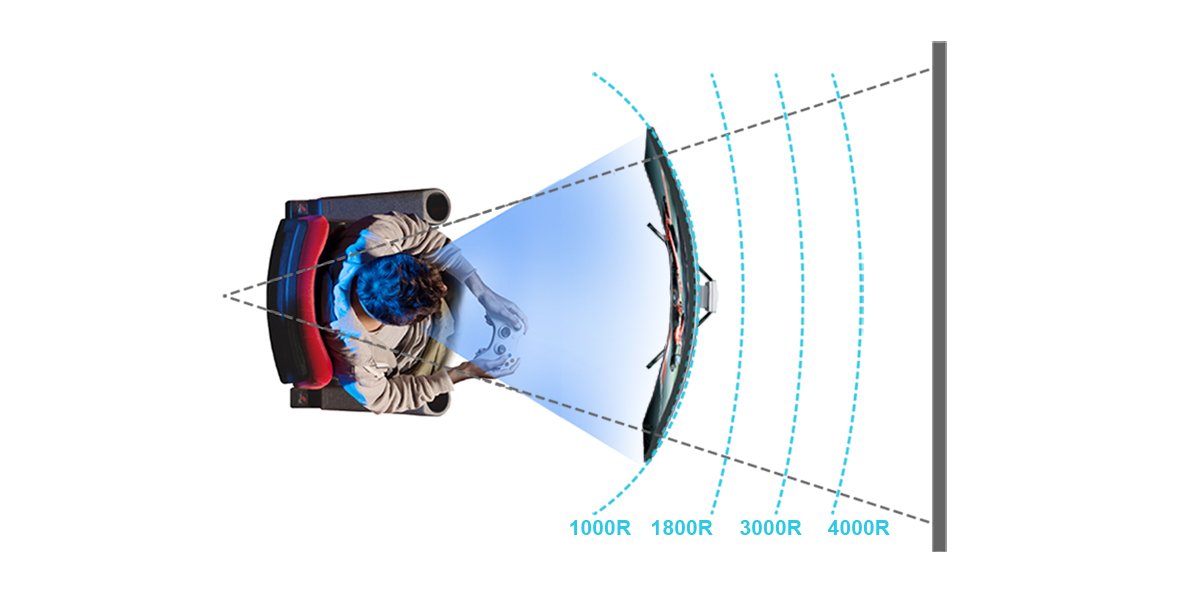
This is very simple. The R means radius, while the number is millimeters. So, a 1000R monitor forms a portion of a 1000mm radius, determining its curvature.
Keep in mind monitor curvature and size are not the same and the 1000mm does not refer to the width of the monitor, but only to the radius.
What you should note is that the bigger the number before the R, the less pronounced the curvature. So, a 1000R monitor is more noticeably curved than a 2000R monitor, for example.
The larger the monitor, the less likely it is to be very curved, as that requires more complex manufacturing and may be difficult for many people to get used to. Sure, there are 1000R 49” monitors, but most in that size class opt for 1800R or even a wider radius, up to 4000R.
Using this logic, if you want to experience a really curved monitor, going with 1000R and a display in the 32” to 34” range is probably the best option. However, it’s entirely up to personal preference. Many people prefer bigger displays with a light curve, and so you may want to do more research before deciding.
As mentioned above, the 1000R design most closely matches human eyesight. With the right monitor size, that means the display covers your field of view almost perfectly, while also making depth perception easier. You don’t need to move your head around so much, and your eyes strain less than when using a flat display due to natural focusing. You save yourself neck and eye stress, while enjoying better peripheral vision and detail identification.
The natural way 1000R monitors conform to human eyesight makes them superb for spatial awareness in gaming, and helps with regular desktop work as well. A good 1000R monitor provides at-a-glance viewing and perception better than any other form factor.
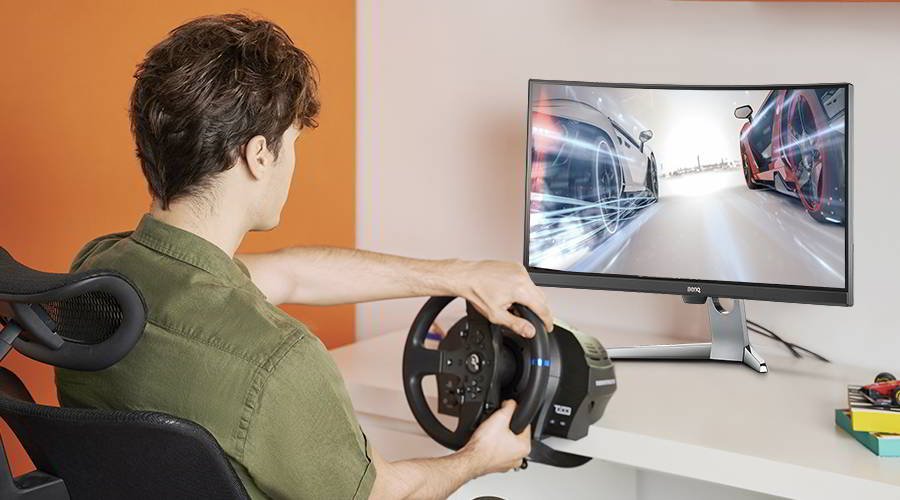
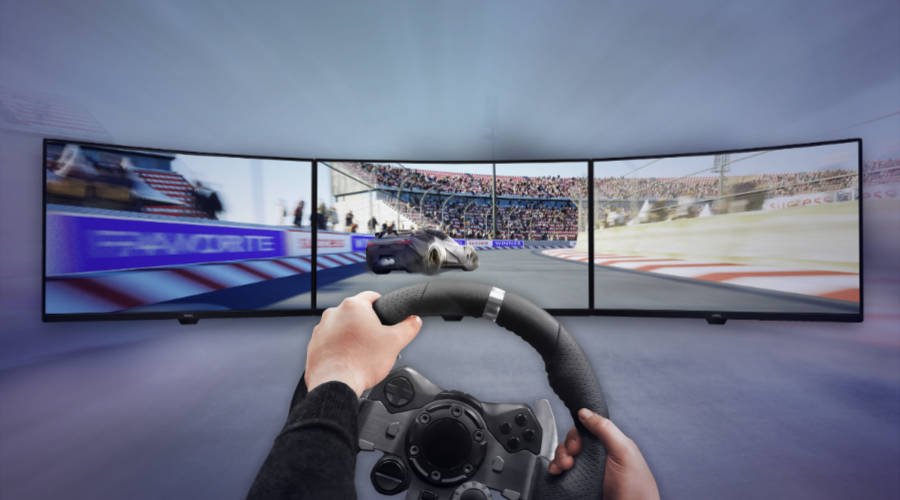
You’ll enjoy any genre better on a 1000R monitor due to the closer match to the way we naturally see the world. But of course, the advantages of 1000R are more apparent in high speed, reflex-based competitive games like first person shooters. Also, simulators look and feel a lot more immersive on curved monitors, so if you’re looking to build a flight or racing sim station, a 1000R curved gaming monitor is a good idea.
Very much a matter of taste. If you think about it, movie theater screens usually have a slight curve to them to offer a more encompassing display, with the audience seated in the center. While less noticeable than with gaming, you’ll still get better field of view coverage and peripheral vision on a curved monitor when watching movies and TV, which may translate into a more comfortable experience.
Not at all, we’ve already established that 1000R is very close to being “eyesight perfect”. Certainly, some people find curved monitors in general off putting, and since 1000R is very curved, those people may dislike using that kind of curvature. This is fine, and there’s no denying flat displays are by far more popular. Curved isn’t for everyone, but once you have a taste for it, going back to flat displays is very difficult.
But the short answer is that no, 1000R isn’t too curved. It’s just right. Actually, very large displays with shallow curves are the ones that may be slightly “wrong”, because they’re basically flat monitors that have very mild curvatures.
No, they’re not. True, there’s a close link between curved and ultrawide.
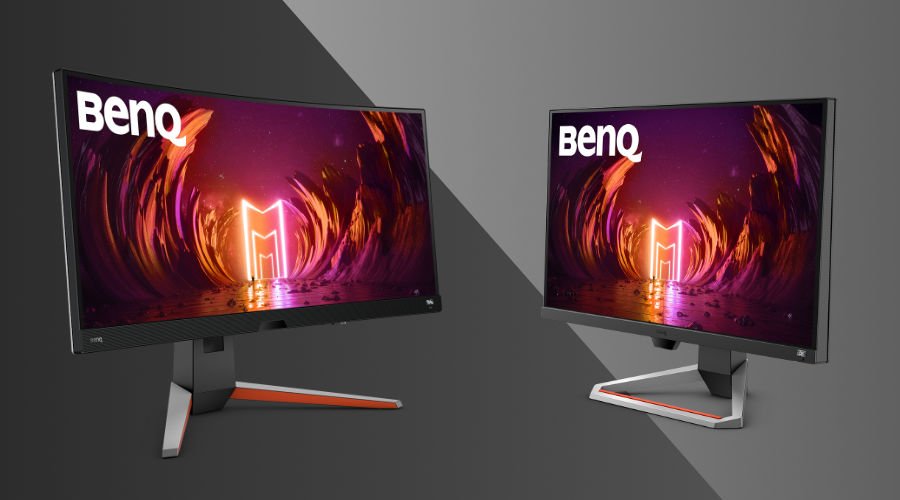
BenQ MOBIUZ has the EX3410R ultrawide gaming monitor with a resolution of 3440 x 1440 if you prefer higher fidelity and a 21:9 aspect ratio. But in terms of manufacturing, there’s no reason a 16:9 monitor can’t be curved. That’s why our own EX2710R sports a very standard 2560 x 1440 resolution while arriving in a sleek 1000R build. The same applies to the EX3210R. While at desktop seating distances the typical size of a 1000R monitor is 27” to 32” and those two models cover that range, bigger or smaller screen sizes may work great depending on your preference and environment.
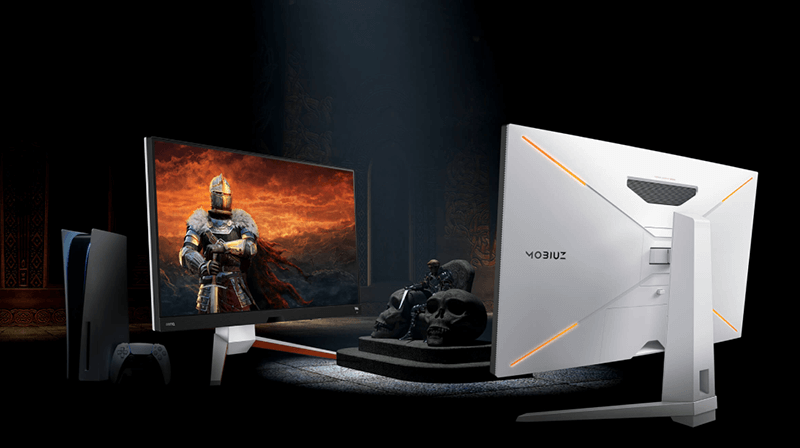
Of course. All you need is an HDMI connection. However, if you plan on getting an ultrawide curved monitor, remember that none of the consoles currently support 21:9 or 32:9 ultrawide aspect ratios. Monitors like the EX2710R and EX3210R work great with Xbox Series consoles since those support 1440p. If you hook up a PS5 then the display will default to supersampled 1080p (PS5 currently doesn’t have full 1440p support).
Yes, except if you’re doing precision design work. For that you should really stick with flat displays as those depict straight lines in a more traditional way than curved panels. But for general office-type productivity, curved monitors are certainly excellent. The same benefits we mentioned, i.e. less neck and eye strain, also apply to work in addition to gaming. In other words, a 1000R monitor makes for a good investment if you plan to game and work on the same screen, for example when working from home.
We hope this quick article has helped answer any questions you may have had about 1000R monitors for gaming and more. If we missed anything, let us know on social media!
This is very subjective and there’s no single answer.
If you want an aggressive, more accentuated display curve, then as we said above a 1000R monitor would be best. Models with 1500R or 1800R are still available if you prefer a milder, less pronounced curvature. All of these provide the much talked about “immersion factor” and improved viewing angles of curved monitors, especially in gaming.
As for curvatures and ultrawide monitors, those are awesome for a combination of massively wide screen real estate and a slight curve that accommodates natural human eyesight and depth perception. Ultrawide monitors also provide a more immersive experience as they better fill your field of vision and “wrap” you in gameplay, so to speak.
In summation, if you want a curved display then 1000R is ideal, while 1500R and 1800R are good but less obviously curved. On both 16:9 and ultrawide monitors, curvature is a very subjective thing and up to your preference, it depends on how much of a “wrap-around” feeling you would like to have.
We hope this quick article has helped answer any questions you may have had about 1000R monitors for gaming and more. If we missed anything, let us know on social media!
{{item.productWordingTag}}
{{currency}}{{item.finalPrice| numberThousandsCommas | numberDecimalPoint}} Save {{currency}}{{item.saveAmount | numberThousandsCommas | numberDecimalPoint}} Save {{item.savePercent | numberThousandsCommas | numberDecimalPoint}}%
new device price{{currency}}{{item.regularPrice| numberThousandsCommas | numberDecimalPoint}}